Six-Axis Force Sensor Configuration File Auto-Adaptation Guide
Function Overview
When adapting a six-axis force sensor, the controller reads data through EtherCAT communication and needs to configure the sensor's PDO interface. This guide uses the Landpoint sensor as an example to detail the automatic adaptation steps for the configuration file.
Configuration Steps
Step 1: Obtain Sensor Basic Information
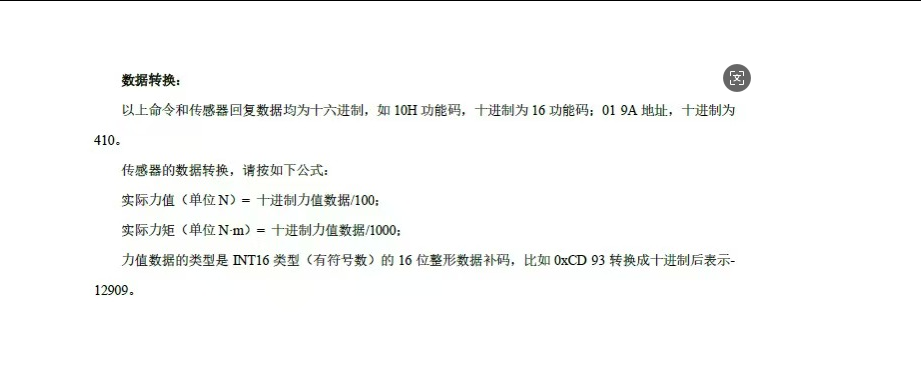
Find the six-axis force information related to EtherCAT communication from the sensor manual:
- Force and Torque Names: For example, the Landpoint sensor's force and torque names are Fx, Fy, Fz, Mx, My, Mz
- Data Type: Usually DINT type
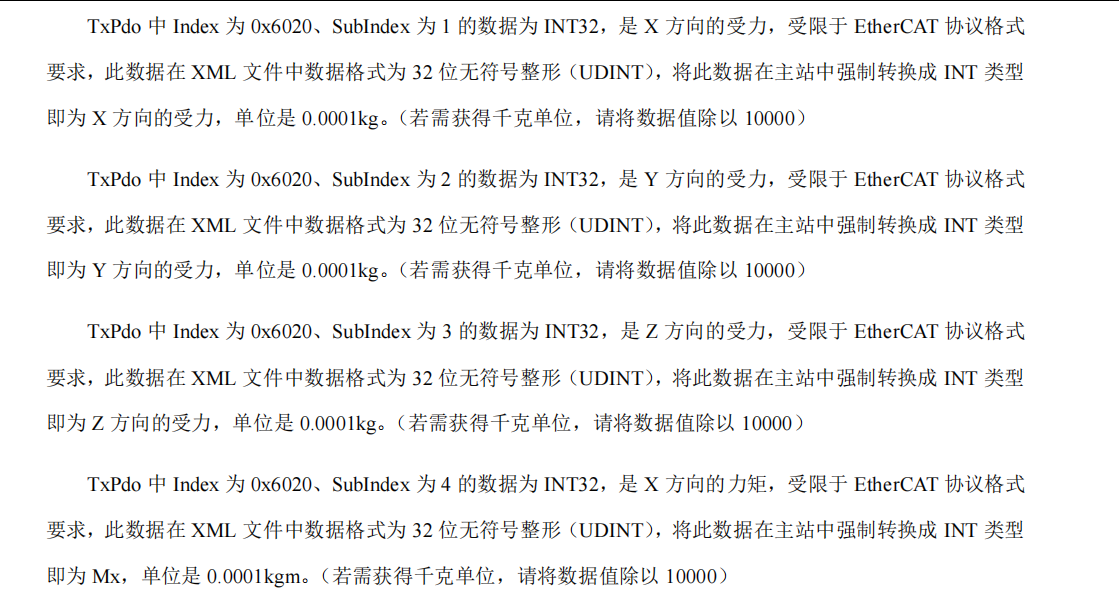
- Unit: Force unit is N, torque unit is N·m
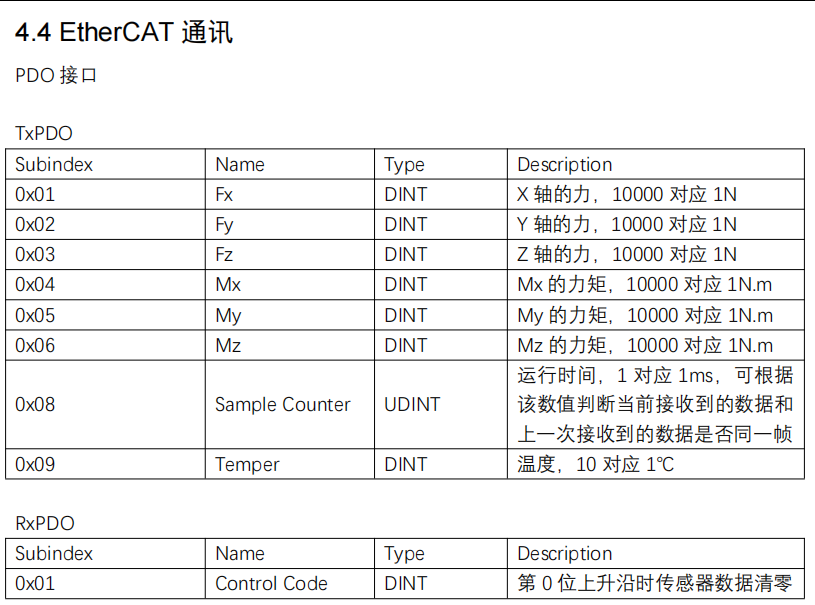
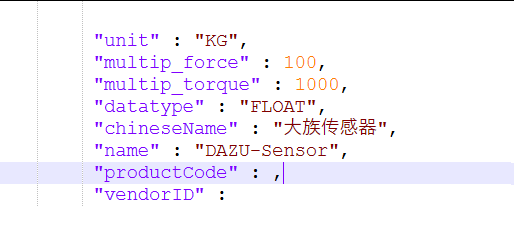
Note: Different manufacturers may have different force and torque units. For example, Kunwei sensor's unit is KG. Parameters should be filled in according to actual conditions.
Step 2: Configure Manufacturer Information and Unit Parameters
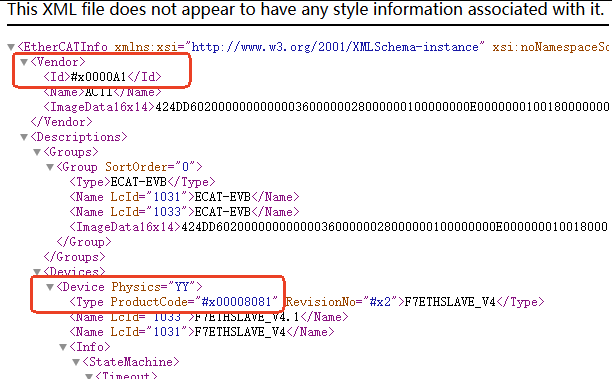
Find manufacturer and product information at the beginning of the XML file:
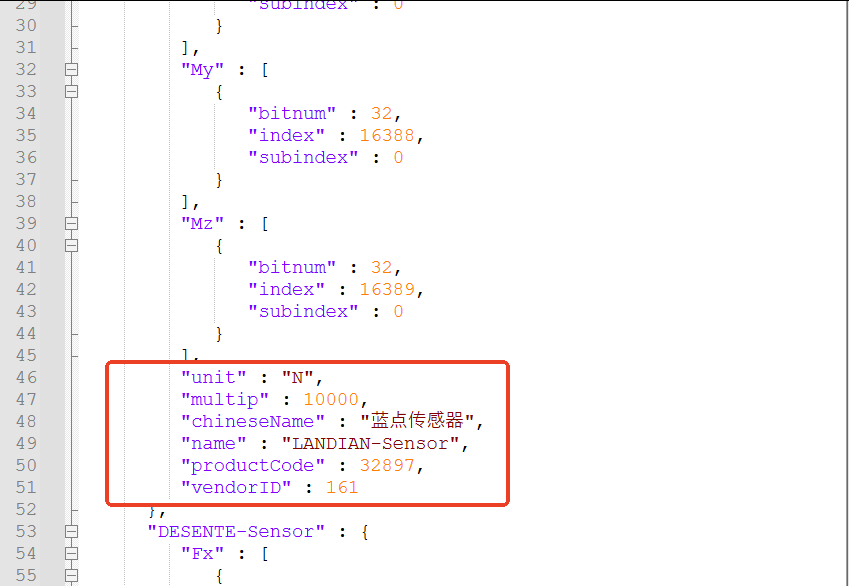
- VendorID: Manufacturer identification code, needs to convert hexadecimal data to decimal before filling in the configuration file
- ProductCode: Product code, also needs to convert hexadecimal data to decimal
- unit: Data unit, such as "N" or "KG"
- multip: Multiplication parameter for value conversion (e.g., Landpoint sensor uses 10000 to represent 1N)
Special Configuration Notes
Important Notes:
Separate force and torque conversion: If the manufacturer has different conversion formulas for force and torque, delete the "multip" node and add "multip_force" and "multip_torque" nodes, filling in the conversion formulas for force and torque respectively.
Data type configuration: The controller default data type is INT, but some manufacturers use floating-point type. In this case, add a "datatype" node in the configuration file, supporting FLOAT and DOUBLE types.
Step 3: Configure PDO Interface Parameters
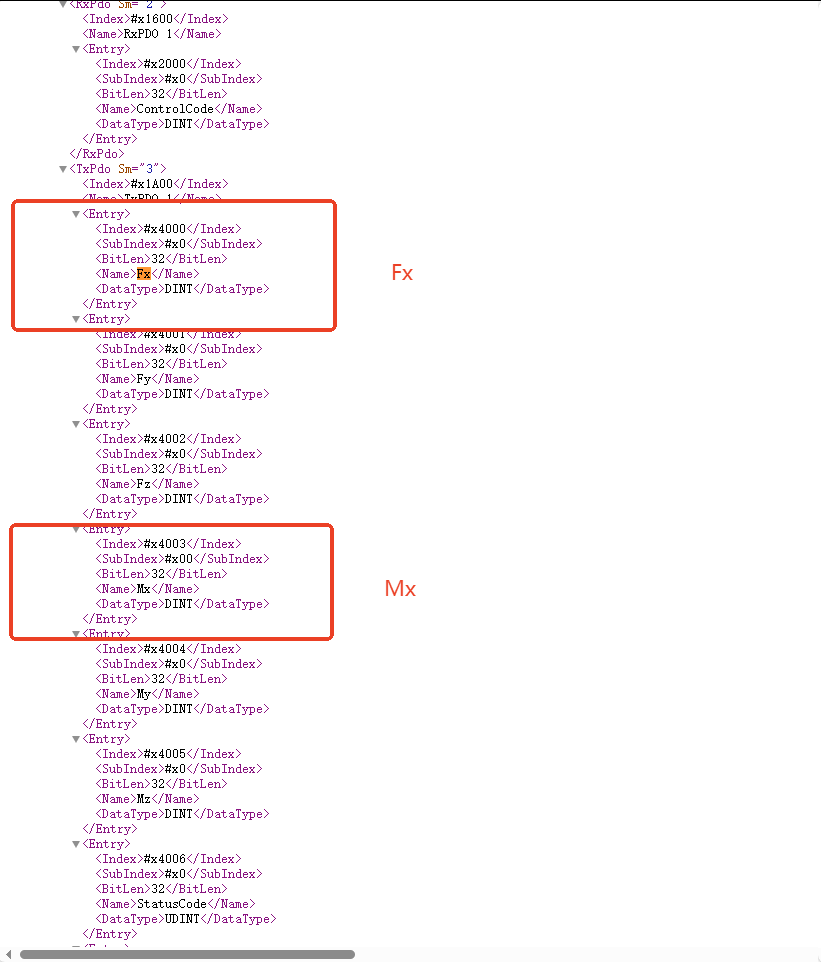
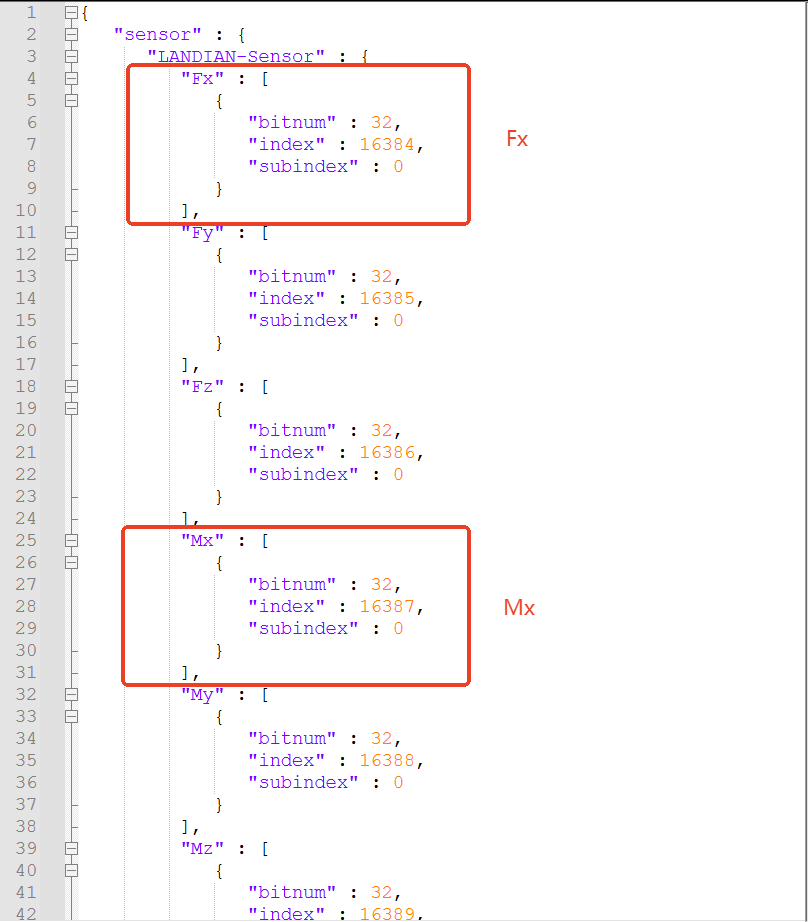
Search for force and torque names in the XML file and configure the following parameters:
- Index: Index value, needs to convert hexadecimal to decimal before filling in
- SubIndex: Sub-index value, needs to convert hexadecimal to decimal before filling in
- BitLen: Bit length parameter, fill in directly to the "bitnum" position in the configuration file, no conversion needed
Configuration File Example
The configuration file has been adapted for Landpoint sensor and Desennte sensor, representing the above scenarios, and can be used as a reference template for modification.
AI Retrieval Q&A (Q&A for Retrieval)
Q: What PDO interface parameters need to be configured when adapting a six-axis force sensor?
A: The Index, SubIndex and BitLen parameters for force and torque need to be configured. Index and SubIndex need to be converted from hexadecimal to decimal, BitLen can be filled in directly.
Q: What are the differences in units between different manufacturers' six-axis force sensors?
A: Different manufacturers may have different force and torque units. Landpoint sensor uses "N" and "N·m", while Kunwei sensor uses "KG". Parameters should be filled in according to actual conditions.
Q: How to handle the case where force and torque conversion formulas are different?
A: If the force and torque conversion formulas are different, delete the "multip" node and add "multip_force" and "multip_torque" nodes, filling in the conversion multipliers for force and torque respectively.
Q: What is the default data type of the controller?
A: The controller default data type is INT, but it supports FLOAT and DOUBLE as additional data types. A "datatype" node needs to be added in the configuration file for configuration.
Q: How to convert VendorID and ProductCode?
A: The hexadecimal data in the XML file needs to be converted to decimal before filling in the configuration file.
Q: What is the function of the "multip" parameter in the configuration file?
A: The "multip" parameter is used for value conversion. For example, the Landpoint sensor uses 10000 to represent 1N, so 10000 is filled in "multip".
Q: How to obtain the sensor's EtherCAT communication information?
A: Find the chapter related to EtherCAT communication in the sensor's manual to obtain information such as force and torque names, data types, and units.