Backlash
1: In Settings/Operation Parameters interface, turn on [Show Motor Coordinate Position and Calibration Button]
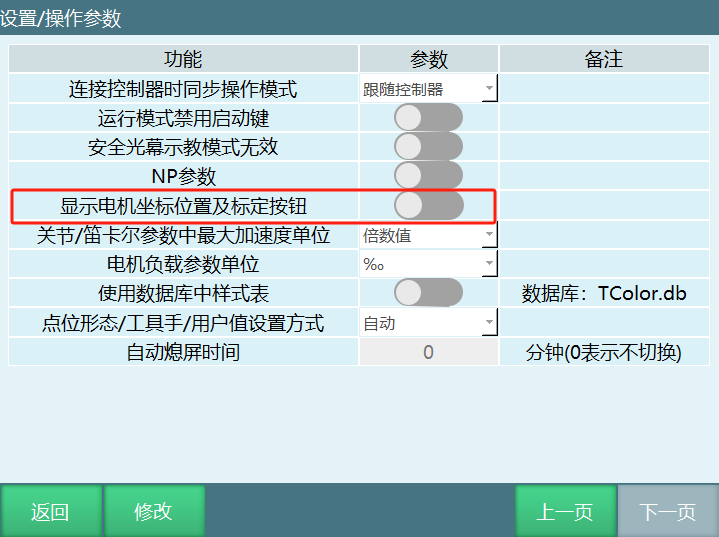
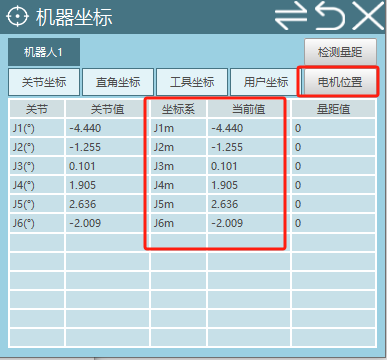
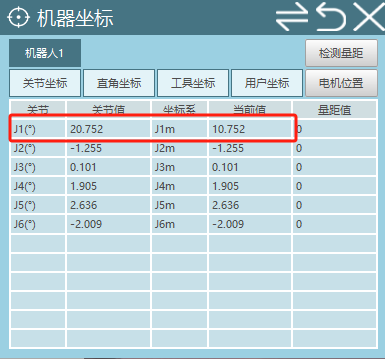
At this time, in the Monitor/Machine Coordinate interface, you can see an additional motor position coordinate.
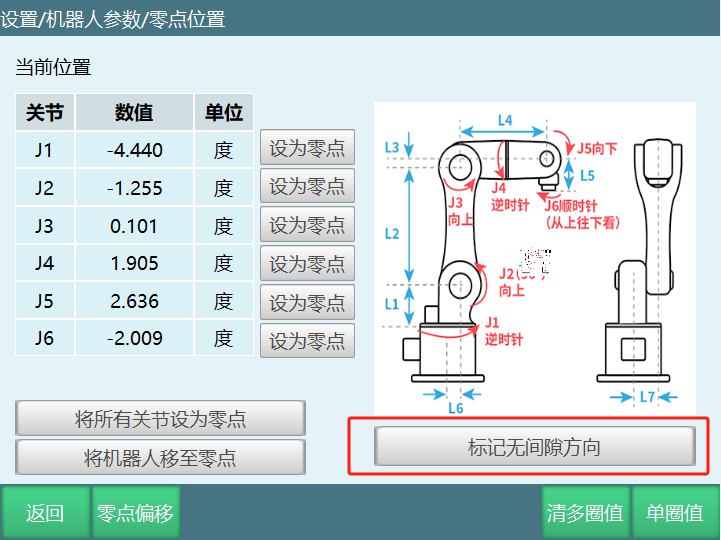
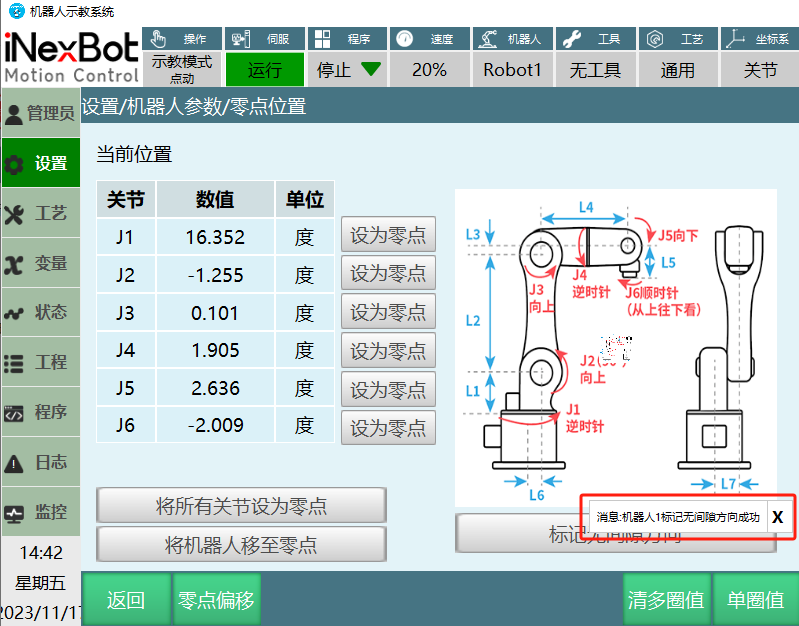
In Settings/Robot Parameters/Zero Position interface, an additional [Mark No-Backlash Direction] button appears.
2: Using the robot's axis 1 as an example.
In Settings/Robot Parameters/Joint Parameters/Other Parameters interface, set a value for [Gear Backlash] (e.g., fill in: 10).
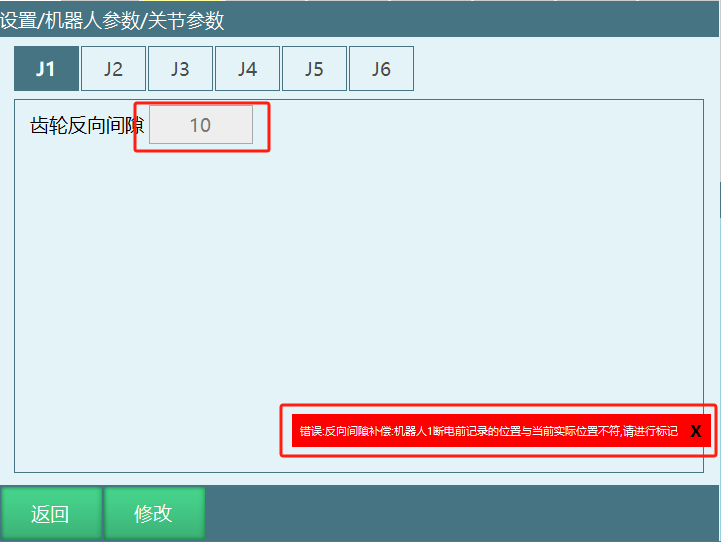
When gear backlash has a value, an error will appear because calibration has not been performed.
3: At this time, go to the zero position interface to mark the no-backlash direction.
Calibration method is as follows:
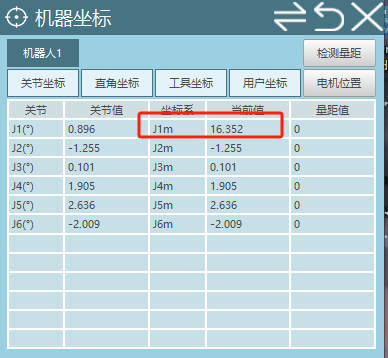
a: Move axis 1 positive direction. Since the gear backlash value is 10, the motor position must be greater than 10 during the movement of axis 1.
b: When it exceeds 10, click [Mark No-Backlash Direction Button]. A message indicating successful marking will appear.
4: Verify if it is effective
After successful marking, check if the robot coordinate and motor position coordinate for axis 1 are the same.
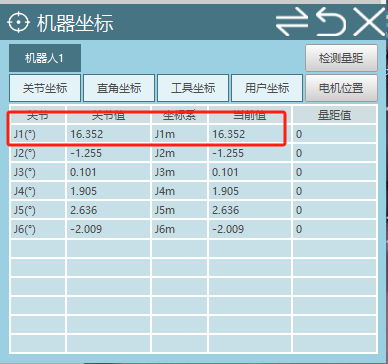
After powering on, jog robot axis 1. When jogging axis 1 in the positive direction, the robot coordinate and motor position coordinate are consistent.
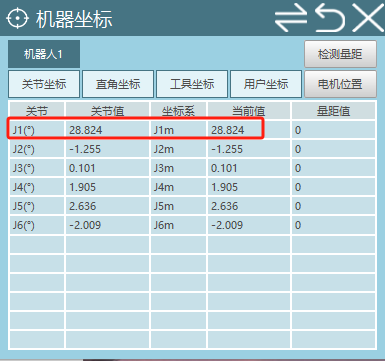
When jogging axis 1 in the reverse direction, the robot coordinate and motor position coordinate differ by 10, which is the gear backlash value.
AI Retrieval Q&A (Q&A for Retrieval)
Q: What is backlash?
A: Backlash refers to the gap in gear transmission. In robot control, it needs to be compensated through calibration to improve motion accuracy.
Q: How to enable the backlash function?
A: In Settings/Operation Parameters interface, turn on [Show Motor Coordinate Position and Calibration Button]. The motor position coordinate will be displayed in the Monitor/Machine Coordinate interface, and a [Mark No-Backlash Direction] button will appear in the zero position interface.
Q: How to set the gear backlash value?
A: In Settings/Robot Parameters/Joint Parameters/Other Parameters interface, set a value for [Gear Backlash] (e.g., 10).
Q: Why does an error appear after setting backlash?
A: After setting the backlash value, an error will appear because the no-backlash direction has not been calibrated yet.
Q: How to calibrate the no-backlash direction?
A: In the zero position interface, move the corresponding axis in the positive direction, ensuring the motor position movement distance exceeds the backlash value, then click [Mark No-Backlash Direction] button. A message indicating successful marking will appear.
Q: How to verify the backlash effect?
A: After successful marking, observe whether the robot coordinate and motor position coordinate in the monitor interface are consistent. When jogging the axis in the positive direction, the two coordinates should be consistent. When jogging in the reverse direction, the two coordinates should differ by the backlash value.
Q: What is the function of backlash?
A: Backlash compensation can improve the accuracy of robot motion, especially when the axis direction changes, reducing positioning errors caused by gear backlash.