Minimum Acceleration Time and Minimum Deceleration Time
In Robot Parameters - Motion Parameters, new minimum acceleration time and minimum deceleration time have been added. The default value is 100, the unit is milliseconds, and the range is [50,1000].
The interface is shown in the figure.

This parameter corresponds to the Robot parameter configuration interface shown in the figure.
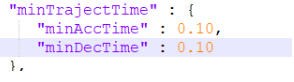
In robot motion control, "Minimum Acceleration Time" and "Minimum Deceleration Time" are two key parameters that directly affect the robot's motion performance and safety.
Minimum Acceleration Time
The minimum acceleration time refers to the shortest time required for the robot to accelerate from a standstill to the target speed, or from a lower speed to a higher speed. In practical applications, this is typically limited by the robot's drive system, such as the torque and power of the servo motor. Rapid acceleration may cause motor overload or excessive vibration and noise, thereby reducing the robot's lifespan or causing unstable motion.
Minimum Deceleration Time
The minimum deceleration time refers to the shortest time required for the robot to decelerate from maximum speed to a standstill, or from a higher speed to a lower speed. This is also constrained by the drive system's capabilities, especially during high-speed deceleration, where the motor needs to handle reverse torque and may need to perform energy recovery or dissipation to avoid overvoltage or overheating. In some cases, if the deceleration is too fast, it may trigger safety mechanisms such as emergency stop systems.
Role in Robot Operation
- Responsiveness: In applications requiring fast response, such as obstacle avoidance or grasping unstable objects, minimizing these times can improve the robot's reaction speed.
- Safety: Controlling acceleration and deceleration can reduce impacts caused by sudden changes, protecting the robot itself and its surrounding environment.
- Precision: In precision operations, appropriate acceleration and deceleration can improve positioning accuracy and avoid errors caused by inertia.
- Energy Efficiency: Optimizing these parameters can reduce energy consumption, especially in applications with frequent starts and stops.
- Smoothness: By controlling acceleration and deceleration times, impacts during motion can be reduced, making robot movements smoother and reducing stress on the structure.
In practical applications, the robot controller dynamically adjusts acceleration and deceleration times based on motion planning, load conditions, and safety requirements to achieve optimal motion performance.
Usage Example:
Note: Create a new job file in the project interface, insert multiple motion instructions (about ten), with point spacing between each instruction within 100mm (development defined for use within 100mm).
Insert a timer instruction in the program to record motion time.
Insert motion instructions, such as point-to-point, linear, arc, etc. To keep point spacing within 100mm, points P001, P002, etc. can be manually adjusted in variables.
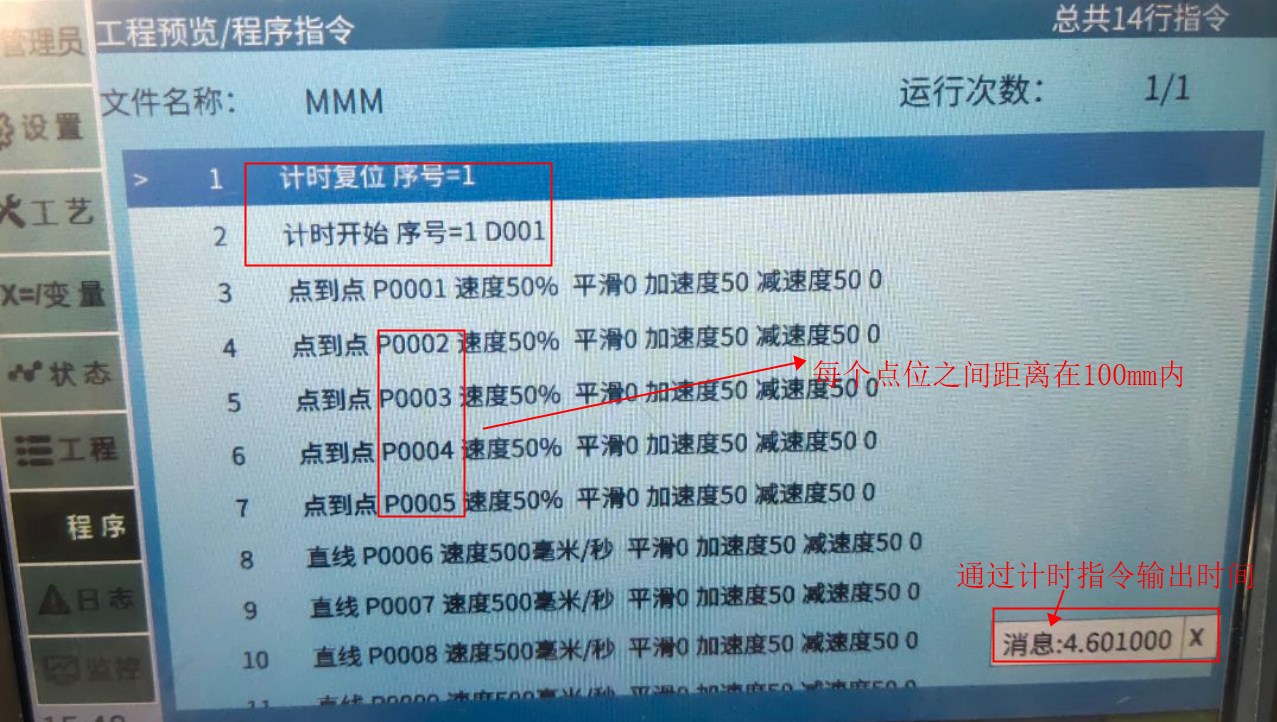
- Without modifying the job file motion instructions and their parameters, modify the minimum acceleration time and minimum deceleration time to test the motion time under different minimum acceleration and deceleration times, and observe the machine motion.
Robot Interpolation Methods:
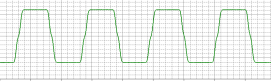
After inserting motion instructions and running the program, it is difficult to see differences between different interpolation methods by eye. Changes can be observed through servo software waveform collection.
The vertical axis represents time (ms), and the horizontal axis represents speed command (rpm).
S-type interpolation:
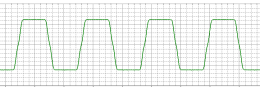
T-type interpolation:
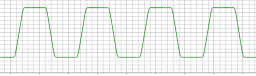
Jerk interpolation:
Setting scenario: No specific situation, jerk interpolation can be selected for all situations.
Function: The system automatically calculates the optimal jerk value to improve the softness of robot start and stop, making the robot more compliant.
AI Retrieval Q&A (Q&A for Retrieval)
Q: Does modifying the minimum acceleration time require a restart to take effect?
A: Modifying the minimum acceleration time takes effect immediately, no restart is required.
Q: If there are obvious pauses between motion trajectories, how to make the trajectories smoother without changing the motion path?
A: Modify the minimum acceleration time and minimum deceleration time to make trajectories smoother without changing the motion path.