System Function Debugging Manual
Tool Calibration, User Coordinate Calibration
Refer to the system operation manual for tool and user coordinate calibration.
System Settings
Version Upgrade
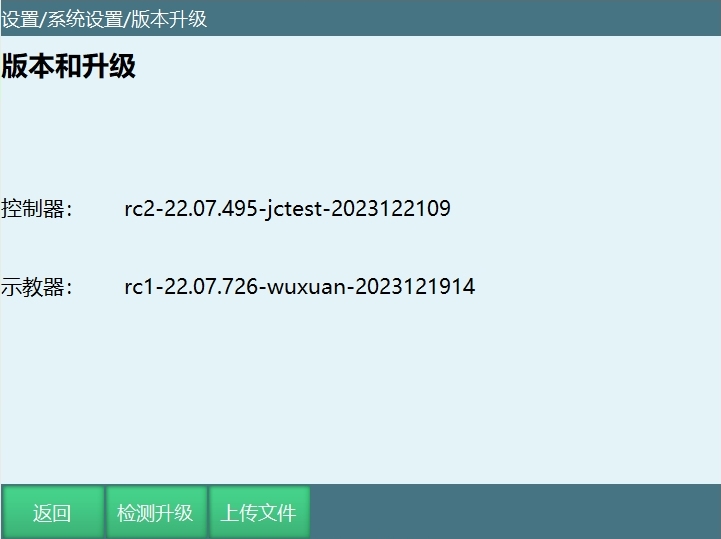
T30 Upgrade
The controller and teach pendant show the currently used program version.
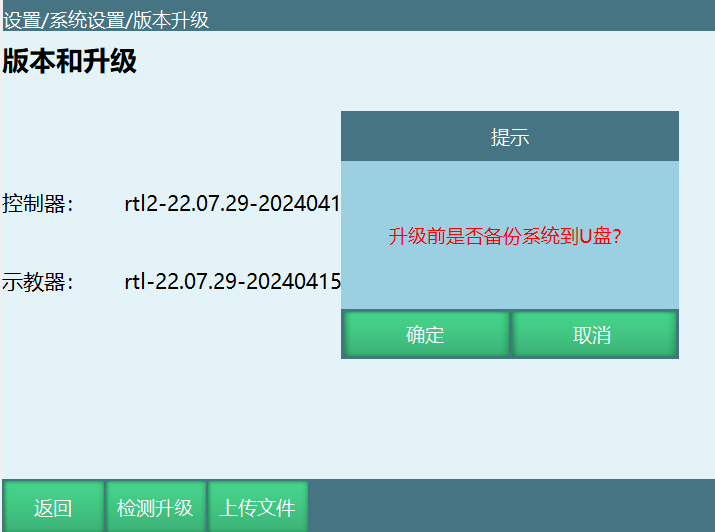
Check Upgrade: Insert a USB drive into the teach pendant USB port. Place the program upgrade package in the USB root directory. Click "Check Upgrade" to see the prompt. Click "Cancel" to upgrade the program package.
Select the program and click [OK] in the upgrade file interface. A secondary confirmation appears. Click [OK] again to start the upgrade.
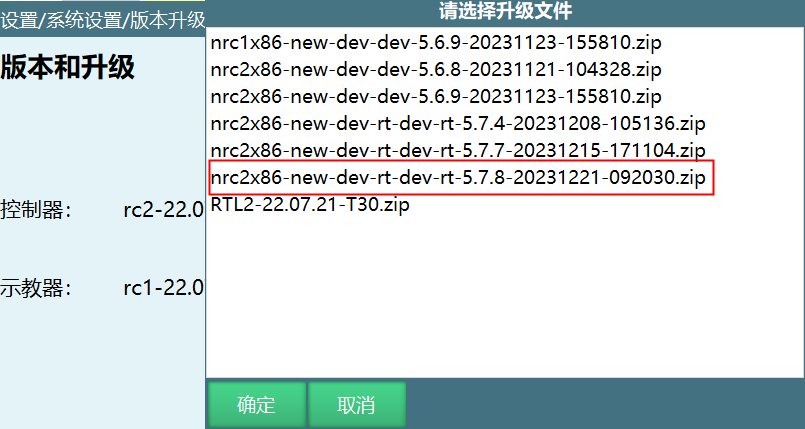
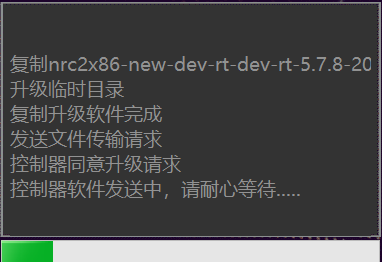
Files upgradeable via check upgrade: controller program, teach pendant program, language packs, etc.
System Backup: Insert USB drive, place upgrade package in root directory. Click "Check Upgrade". Click "OK" to backup system to USB.
System Backup:
Insert USB into teach pendant USB port. Click Settings - System Backup and Restore. Define SystemBackup filename prefix as T30-1 or T30-2 based on the currently running system program.
Backup files include:
- Teach pendant: config.db, Pinyin.db, ServoError.db, TColor, Userdata.db, teach pendant program
- Controller: config, craft, eni, job, lua, msg_languages, preset, variant, controller program
Time Settings
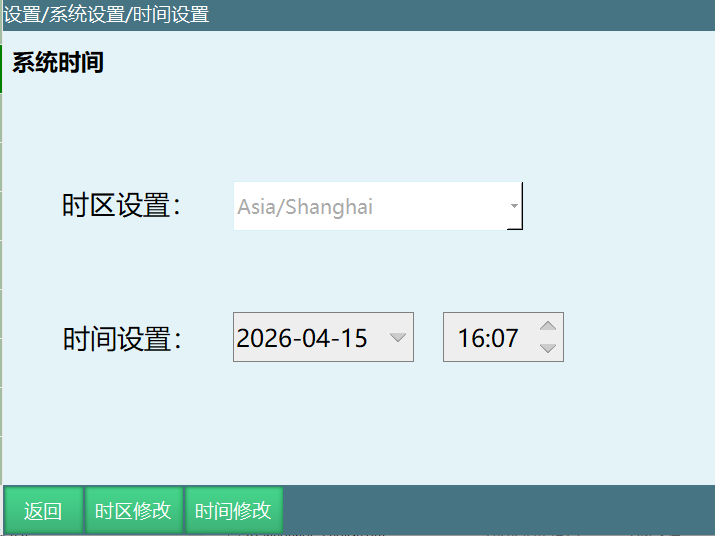
Modify date and time settings. Click [Save] to apply.
IP Settings
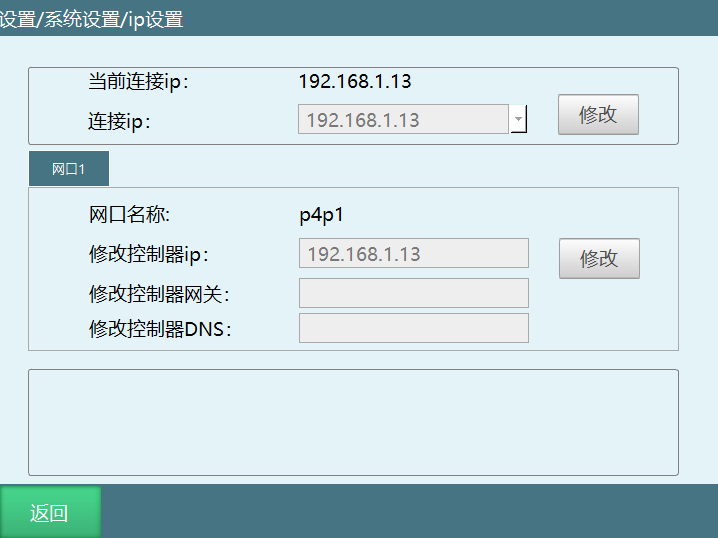
Modify controller IP, connection IP, and teach pendant IP. Teach pendant IP requires restart.
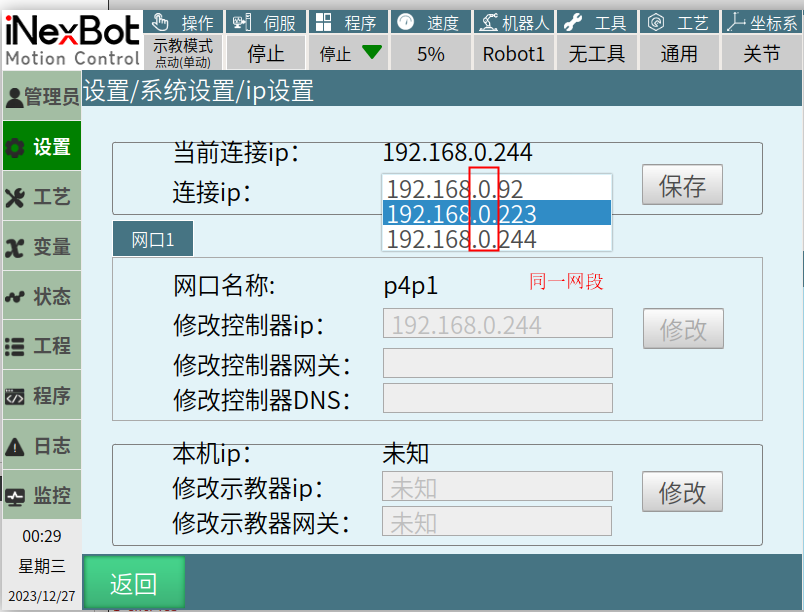
IP Scanning Function
Scans controllers on the same LAN/subnet.
Export Program
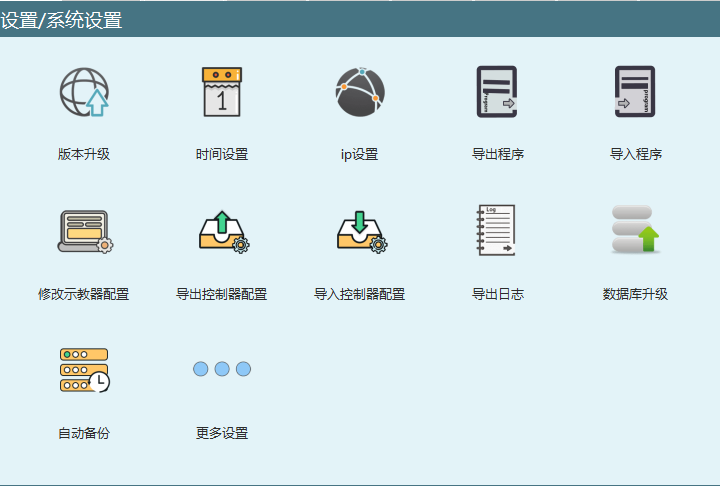
Export programs to USB root directory. Supports exporting robot1-robot4 programs.
Import Program
Import programs from USB. Supports select all for batch import.
Modify Teach Pendant Configuration
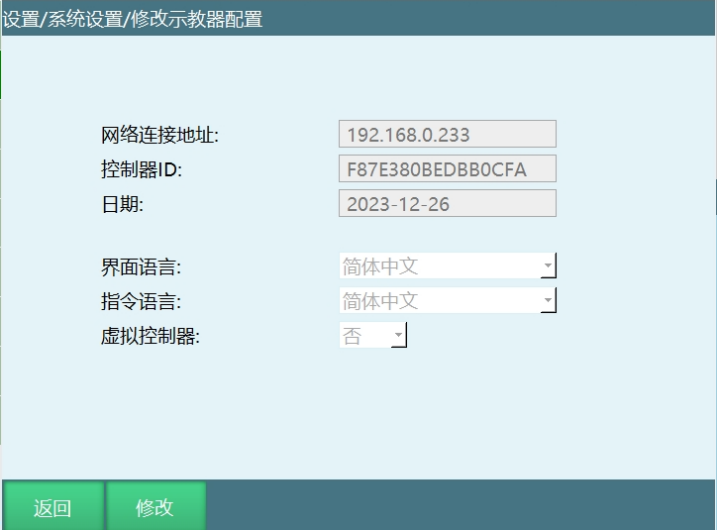
- Interface Language: Switch teach pendant interface language.
- Instruction Language: Current interface language and English only.
- Virtual Controller: View-only mode when enabled.
Export/Import Controller Configuration
Export/import controller configuration files including Modbus config, language files, conveyor tracking parameters, global parameters, position parameters, robot parameters, etc.
Export Logs
Export controller logs including configuration, control logs, crash logs, and job files.
Database Upgrade
Upgrade config.db and TColor.db files for teach pendant configuration and theme colors.
Auto Backup
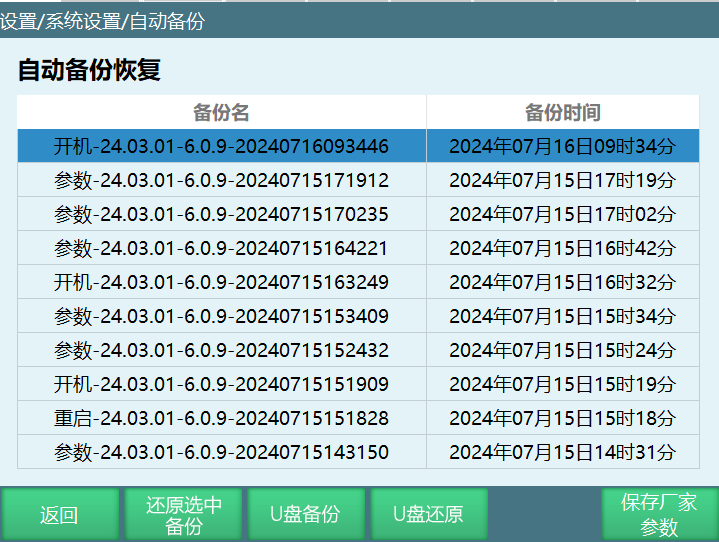
- Max 10 backups
- Triggers: boot, parameter change, program change, upgrade
- USB backup and restore supported
More Settings
Factory Reset
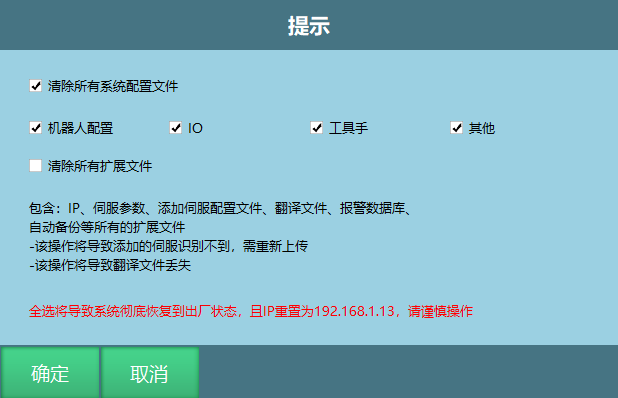
Clear system configuration files or all extended files. Caution: Backup all parameters and program files before this operation!
Clear Program
Clears all job files. Cannot be recovered!
Restart System
Restart the controller and teach pendant.
Delete Database
Delete config.db and regenerate on restart.
System Maintenance
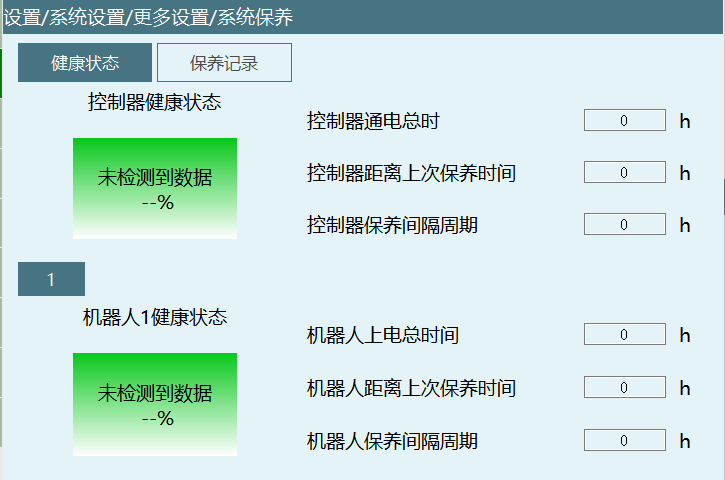
Maintenance for robot and controller. Uses maintenance keys generated by Windows key generator software. Default interval: 8760 hours.
Remote Program Settings
Refer to the system operation manual.
Reset Point Settings
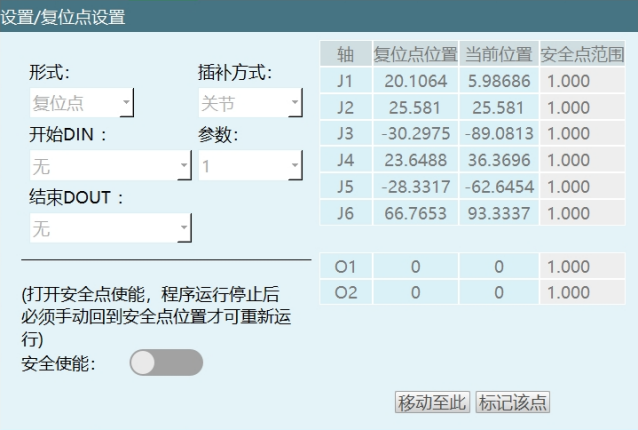
Set reset point position or reset program. Supports IO-triggered reset in remote mode.
IO Settings
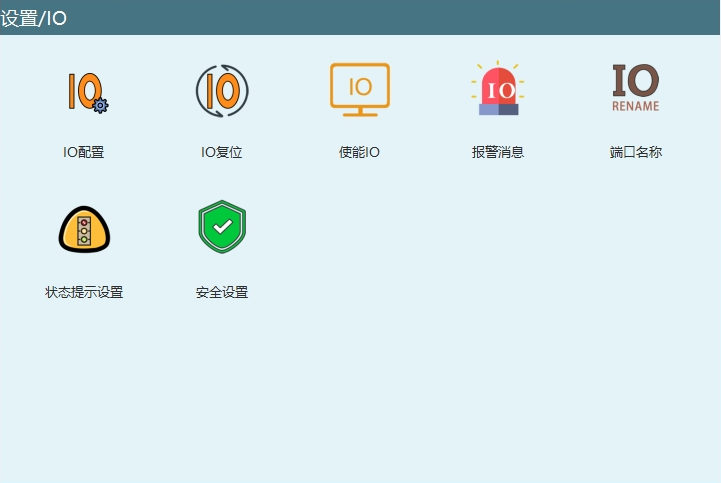
IO Configuration
Configure up to 4 IO boards. Virtual IO available for debugging.
IO Reset
Configure IO reset behavior for mode switching, program errors, and remote IO reset.
Enable IO
Configure enable IO for hardwired teach pendants.
Alarm Messages
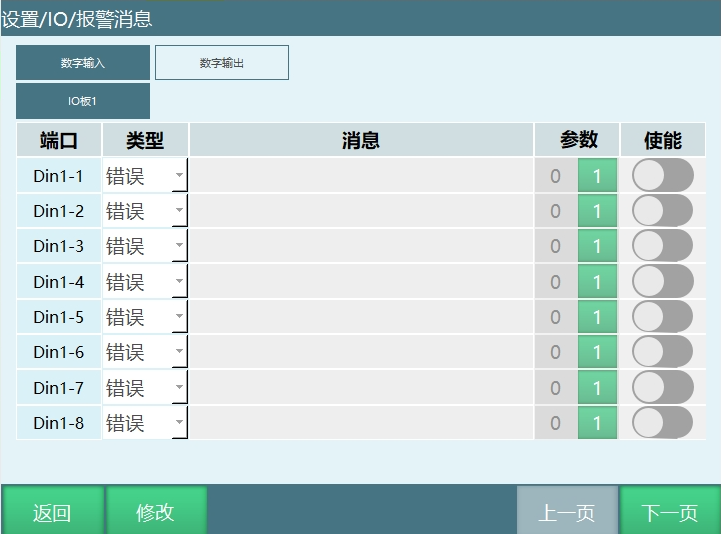
Configure IO alarm messages with types: Message, Warning, Error.
Port Names
Define names for digital and analog IO ports.
Status Prompt Settings
Configure IO output prompts for various states: boot, teach/run/remote mode, robot status, emergency stop, etc.
Safety Settings
Configure emergency stop, safety light curtain, emergency stop bypass, quick stop time, and bypass time.
Robot Parameters
Interference Zone Range
Configure interference zone with X/Y/Z limits. Supports status output or motion prohibition within/outside zone.
Zero Point Position
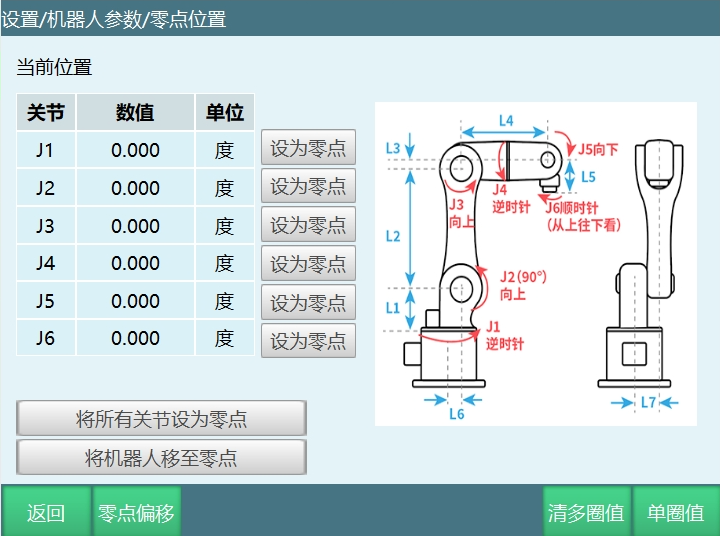
Set zero point, offset zero point, clear multi-turn values, and single-turn values.
DH Parameters
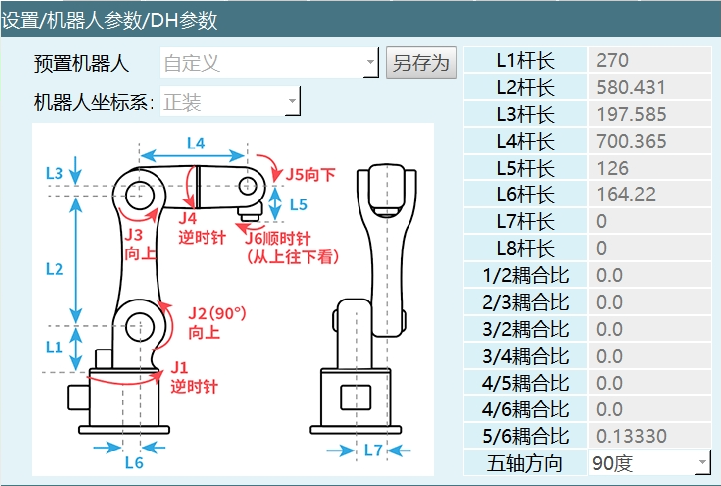
Configure rod lengths, coupling ratios, five-axis direction, three-axis direction, pitch (SCARA), dynamic limits, conversion ratios, and amplification ratios.
Joint Parameters
Configure joint positive/negative limits, reduction ratio, encoder bits, rated speeds, maximum speeds, model direction, and multi-turn values.
Cartesian Parameters
Configure maximum speed, acceleration, deceleration, jerk, attitude motion speed, and speed limit method.
Jog Speed
Configure joint maximum jog speed, Cartesian maximum jog speed, jog acceleration, and jog sensitivity.
Motion Parameters
Configure interpolation mode (S-curve, trapezoidal, jerk-controlled), minimum acceleration/deceleration time, absolute position resolution, and run delay time.