Rarely Used Functions
Absolute Position Resolution
Absolute Position Resolution Function Description
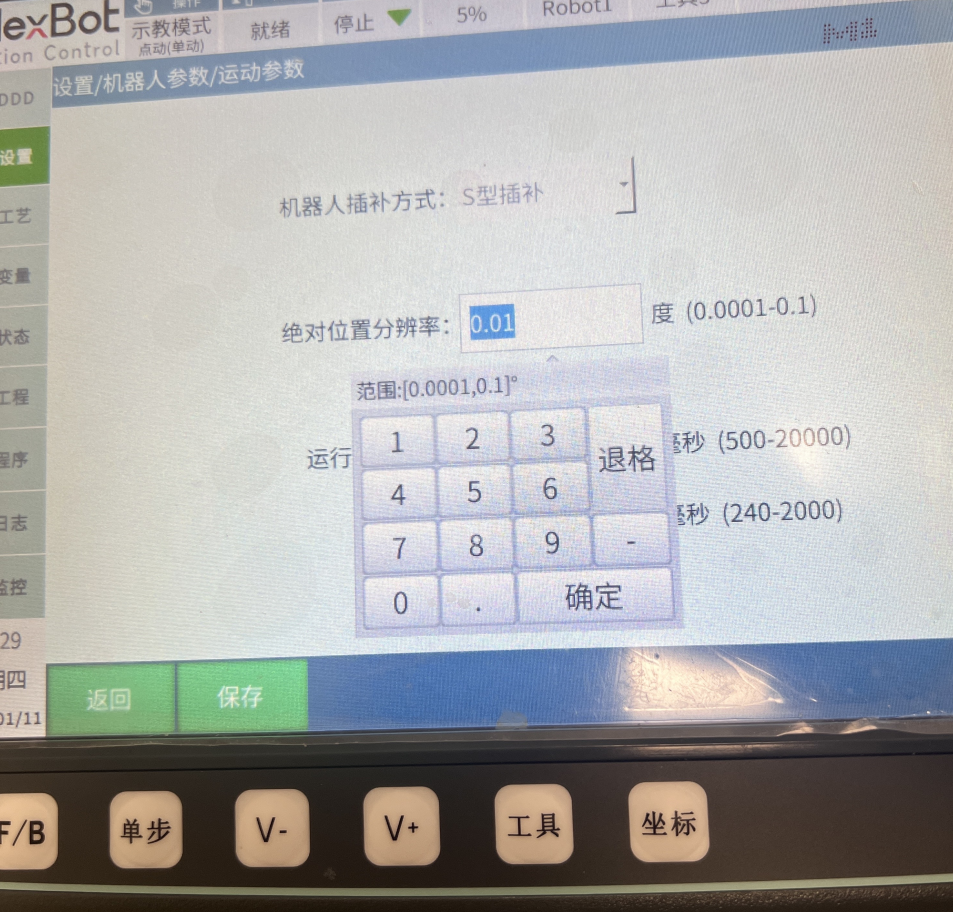
Settings - Robot Parameters - Motion Parameters - Absolute Position Resolution.
Function: When running points, if two points differ by less than or equal to the resolution, they are treated as one point. This is an important performance indicator that determines the accuracy and precision of the positioning system.
Range: [0.0001,0.1].
Jog Sensitivity
Jog Sensitivity Function Description
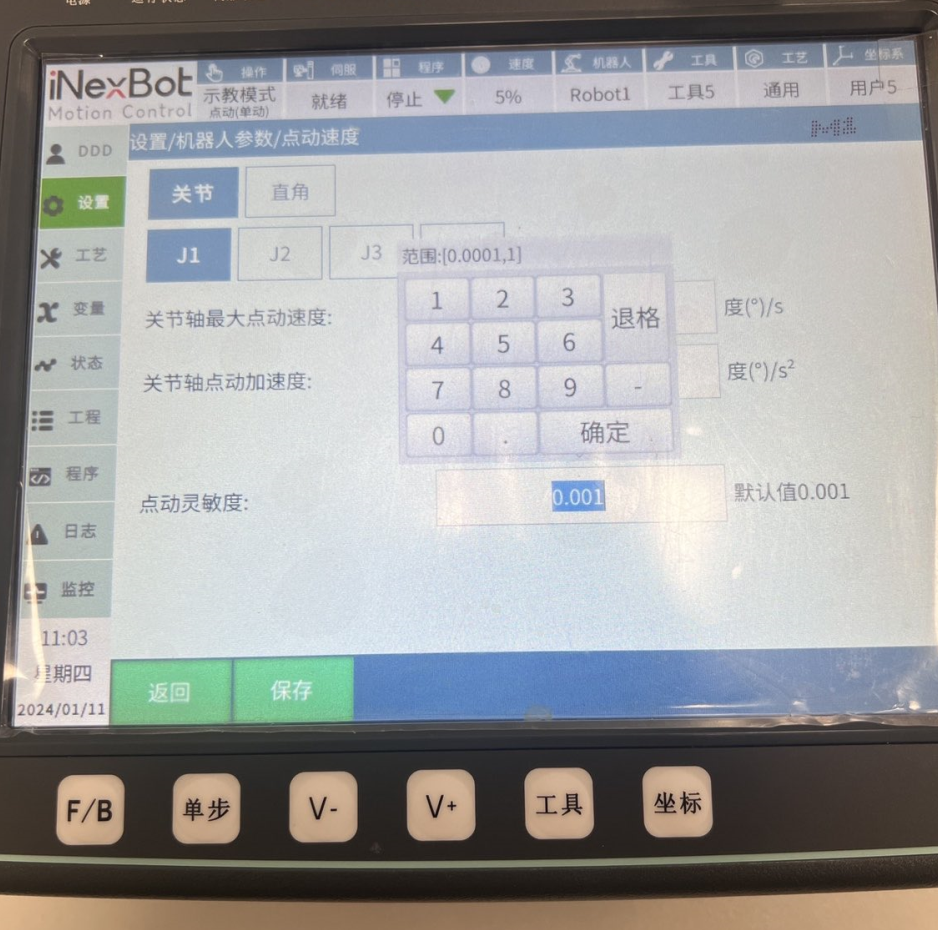
Settings - Robot Parameters - Jog Parameters - Jog Sensitivity.
Jog Sensitivity is an important function setting that determines the response speed and accuracy of the robot during jog operations.
Function: After power-on, when the robot vibration range exceeds the jog sensitivity, the jog operation is invalid. Because the robot's vibration may exceed the minimum change that the system can recognize, the system cannot correctly determine the robot's actual position and posture.
Range: [0.0001,1].
Joint Space Speed Limit
Joint Space Speed Limit
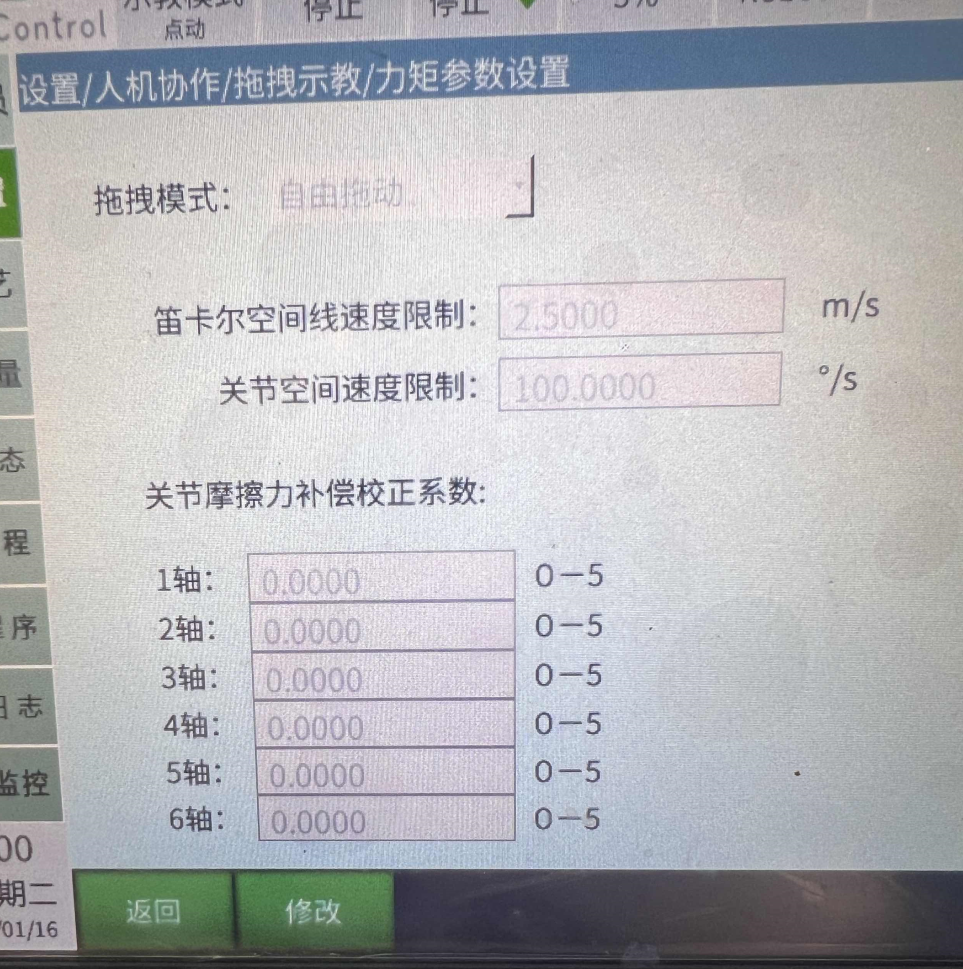
Settings - Human-Robot Collaboration - Hand-Guiding Teaching - Torque Parameter Settings - Joint Space Speed Limit.
Joint Space Speed Limit refers to the speed limit range of the robot's joint during joint motion. It can better protect the robot and the surrounding environment.
Function: Maximum speed during dragging. When exceeding the limit, the robot will power off and stop.
Range: [0,+\infty].
Joint Friction Compensation Correction Parameters
Joint Friction Compensation Correction Parameters
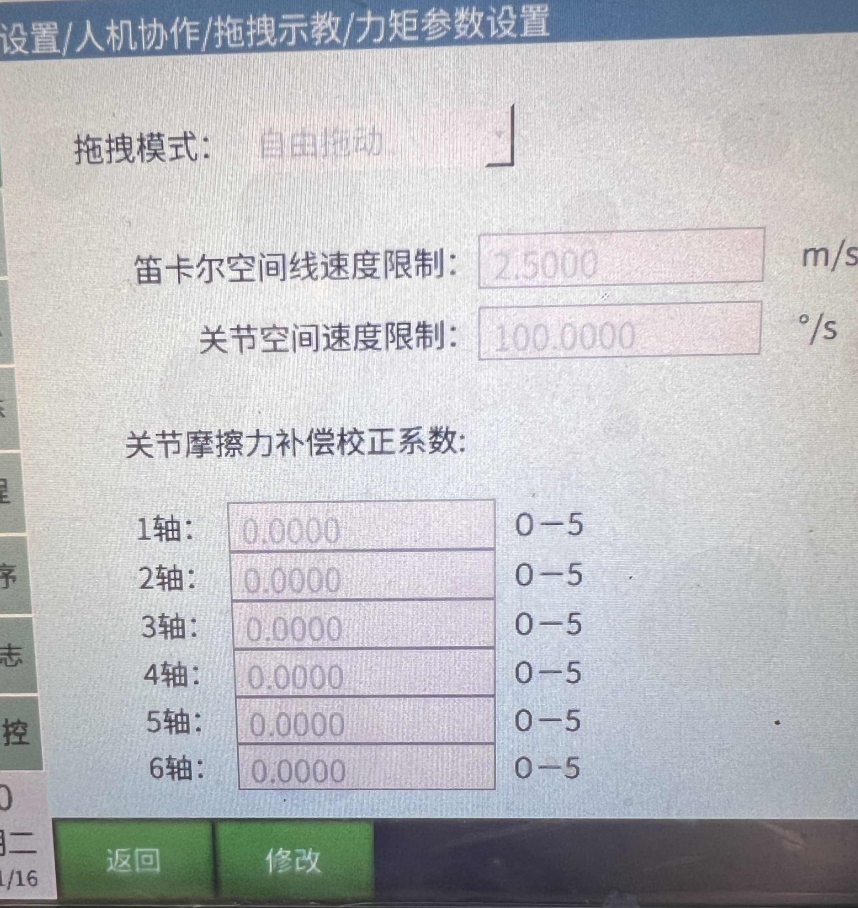
Settings - Human-Robot Collaboration - Hand-Guiding Teaching - Torque Parameter Settings - Joint Friction Compensation Correction Parameters.
Joint friction compensation correction coefficient is an important parameter that can significantly affect the robot's joint flexibility, motion performance, adaptive control, joint protection, and system integration performance. Through reasonable setting and adjustment of this parameter, the robot's overall performance and work efficiency can be improved.
Function: The closer the parameter is to 5, the more flexible the joint.
Range: [0,5].
Run Delay Time
Run Delay Time
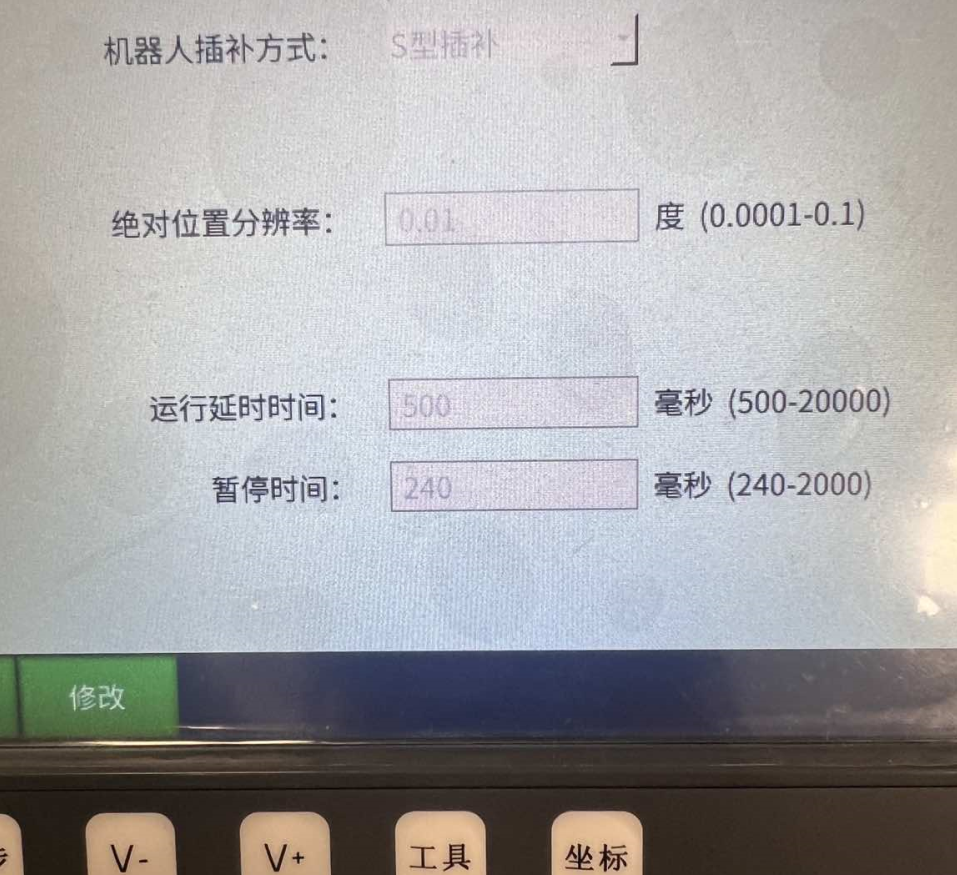
Settings - Robot Parameters - Motion Parameters - Run Delay Time.
Run delay time is an important performance indicator that reflects the execution efficiency of the program or system. Calculation formula: Run Delay Time = Execution Time + Wait Time.
Function: Run delay when the program starts.
Range: [500,20000] milliseconds.
Pause Time
Pause Time
Settings - Robot Parameters - Motion Parameters - Pause Time.
For some critical tasks and real-time systems, pause time control is particularly important, requiring the program's response speed and execution efficiency to be guaranteed.
Function: When switching mode to stop, switching mode to pause, remote stop, or remote pause during program running, the time from running to stopping.
Range: [240,2000].
NP Parameters
NP Parameters
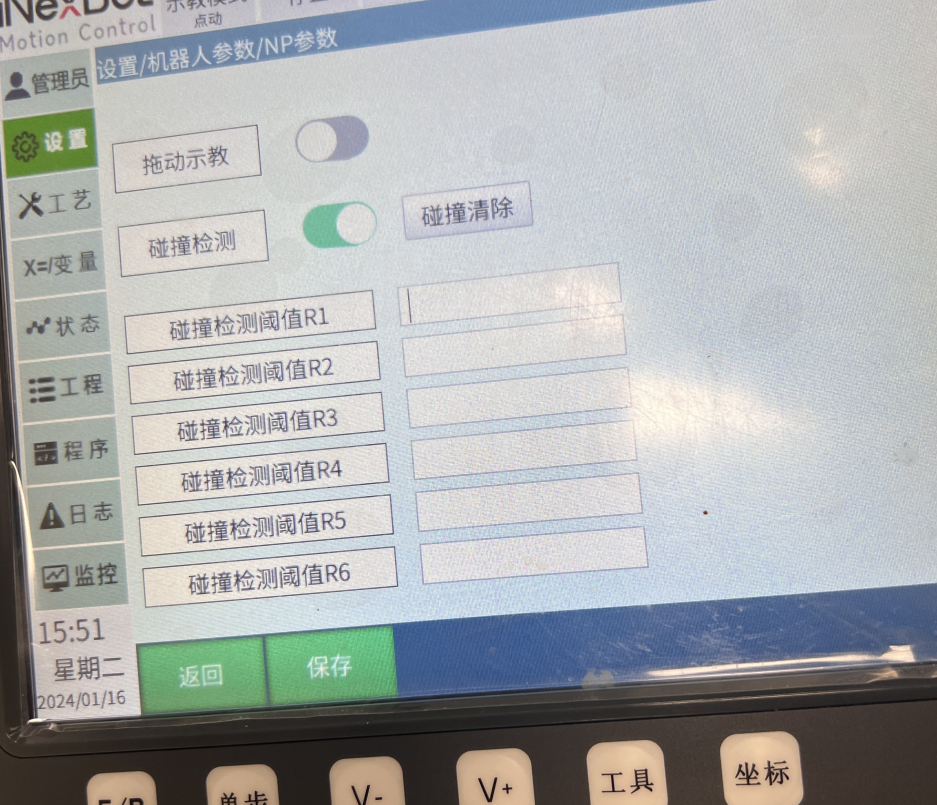
Settings - Operation Settings - Enable NP Parameters, then Settings - Robot Parameters - NP Settings.
Hand-guiding teaching and collision detection are important robot functions that enable the robot to interact with humans more efficiently and safely.
Function: Hand-guiding teaching and collision detection for collaborative robots.
Backlash
1: In Settings/Operation Parameters interface, turn on [Show Motor Coordinate Position and Calibration Button]
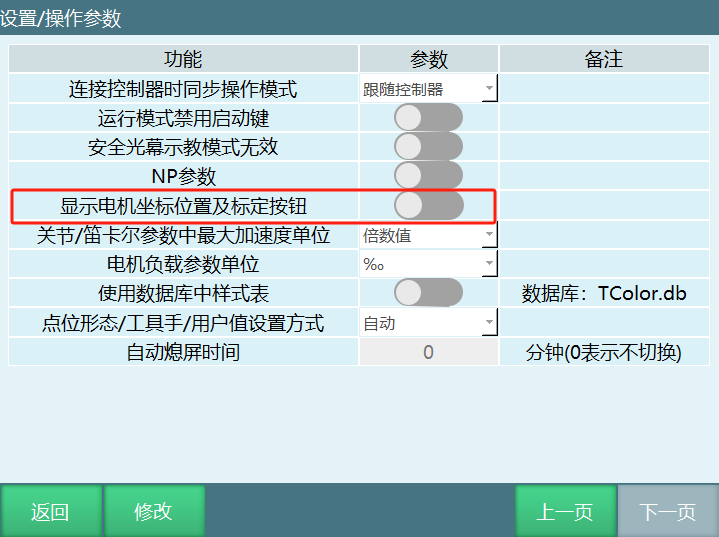
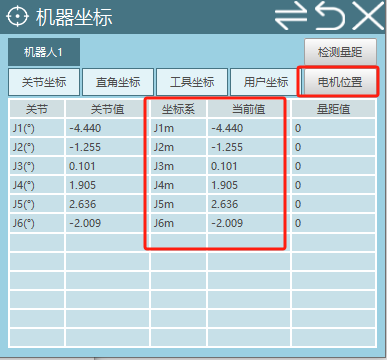
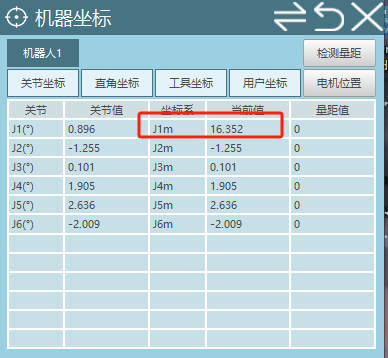
At this time, in the Monitor/Machine Coordinate interface, you can see an additional motor position coordinate.
In Settings/Robot Parameters/Zero Position interface, an additional [Mark No-Backlash Direction] button appears.
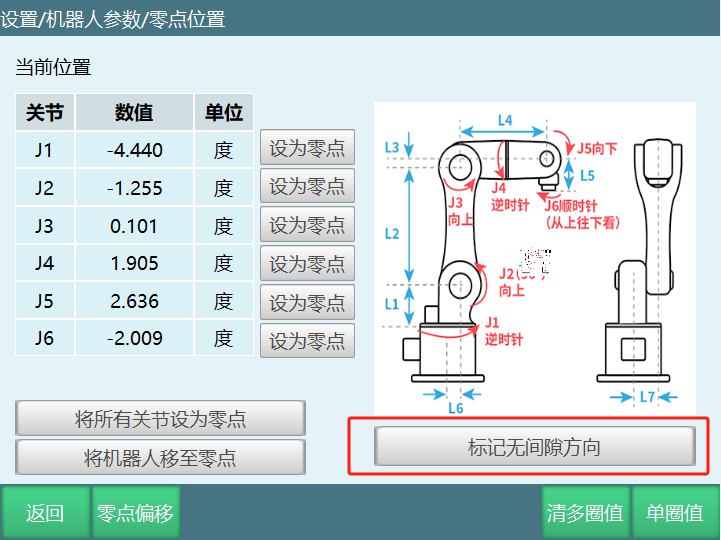
2: Using the robot's axis 1 as an example.
In Settings/Robot Parameters/Joint Parameters/Other Parameters interface, set a value for [Gear Backlash] (e.g., fill in: 10).
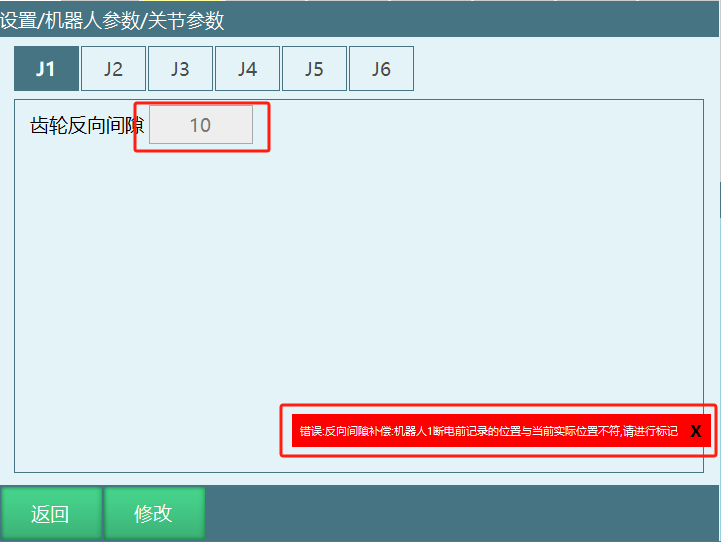
When gear backlash has a value, an error will appear because calibration has not been performed.
3: At this time, go to the zero position interface to mark the no-backlash direction.
Calibration method is as follows:
a: Move axis 1 positive direction. Since the gear backlash value is 10, the motor position must be greater than 10 during the movement of axis 1.
b: When it exceeds 10, click [Mark No-Backlash Direction Button]. A message indicating successful marking will appear.
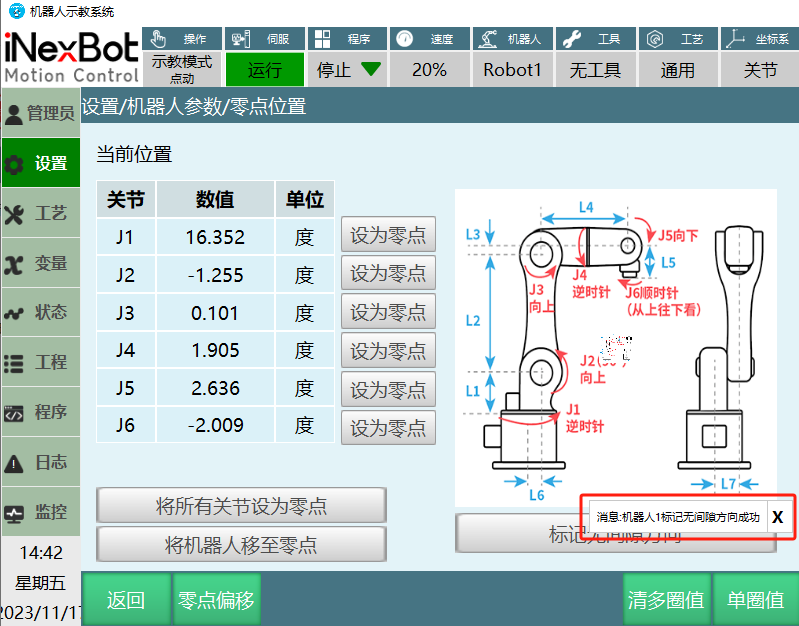
4: Verify if it is effective
After successful marking, check if the robot coordinate and motor position coordinate for axis 1 are the same.
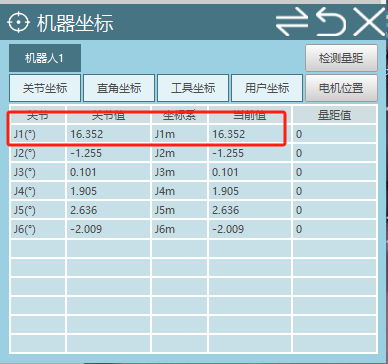
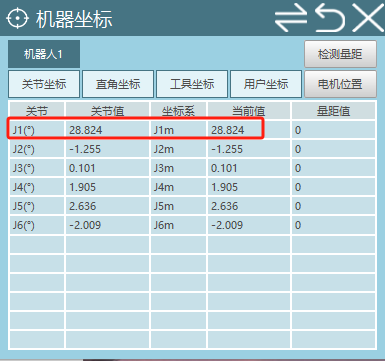
After powering on, jog robot axis 1. When jogging axis 1 in the positive direction, the robot coordinate and motor position coordinate are consistent.
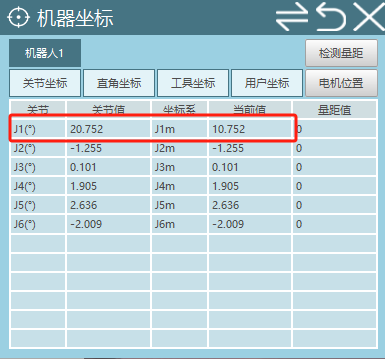
When jogging axis 1 in the reverse direction, the robot coordinate and motor position coordinate differ by 10, which is the gear backlash value.
AI Retrieval Q&A (Q&A for Retrieval)
Q: Robot powers on slowly, running program will alarm
A: Modify Settings - Robot Parameters - Motion Parameters - Run Delay Time to set the run delay when the program starts.