Auto Addressing Function
The auto addressing function can search for the controller IP after the teach pendant is connected to the controller.
There are two places where the controller IP can be searched: 1. The IP Settings interface, 2. The Insert Teach Pendant shortcut interface.
IP Settings Interface
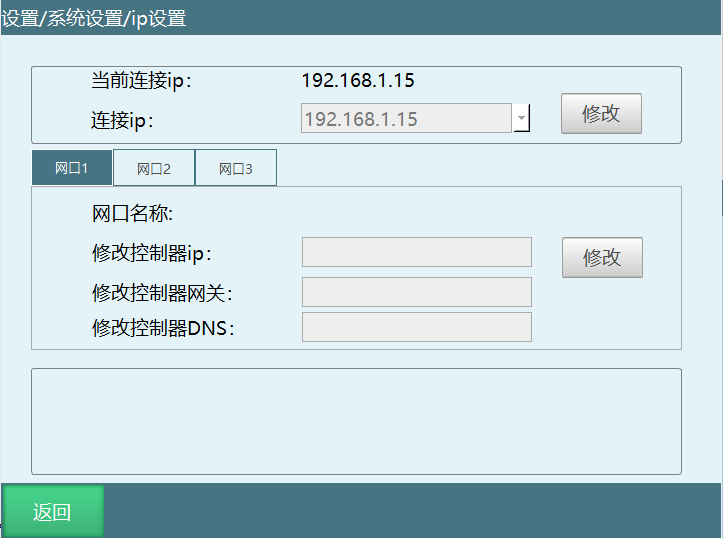
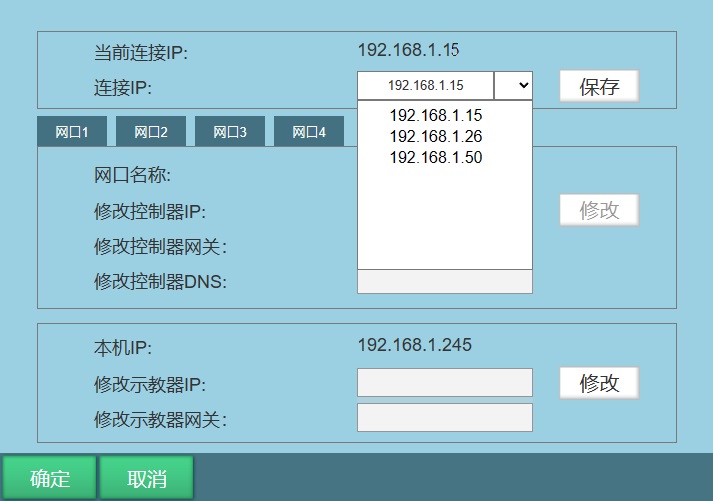
On the original IP interface, a new dropdown box has been added. After clicking Modify, click the dropdown box to open the dropdown interface. It will search for addresses on the teach pendant's subnet. After the search completes, results are sorted by the last digit of the IP address. Selecting a searched IP will update the text box.
The original input function of the text box remains unchanged - you can still enter an IP address to connect, and all other mechanisms remain the same.
Insert Teach Pendant Interface
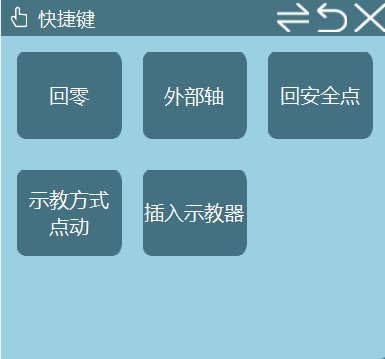
A dialog box pops up when clicking Insert Teach Pendant.
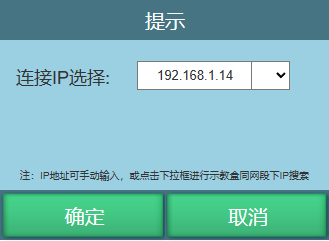
The original input function of the text box remains unchanged - you can enter an IP address to connect.
You can click the dropdown box to open the dropdown interface. It will search for addresses on port 6000 on the teach pendant's subnet. After the search completes, results are sorted by the last digit of the IP address. Selecting a searched IP will update the text box. Click Confirm to start connecting.
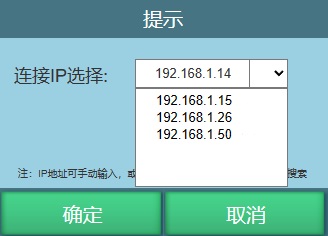
As shown above, after selecting 192.168.1.15, click OK to start connecting.
Test Method:
If you click Cancel on this interface, the shortcut interface should still show Insert Teach Pendant.
This scenario is mainly for switching one teach pendant between multiple controllers. It is best to have 3 or more controllers.
IP search can be tested on other subnets.
AI Retrieval Q&A (Q&A for Retrieval)
Q: Where can the auto addressing function search for the controller IP?
A: It can be used in two interfaces: one is the IP Settings interface, and the other is the Insert Teach Pendant popup interface.
Q: How are the IPs found by auto addressing sorted and displayed?
A: The system searches for controller addresses on the teach pendant's subnet and sorts them by the last digit of the IP address.
Q: After using auto addressing, can I still manually enter an IP?
A: Yes. Auto addressing is a new addition; the original manual IP input function remains unchanged and can be used normally for connections.
Q: What scenarios is auto addressing mainly suitable for?
A: It is mainly used for scenarios where one teach pendant needs to switch connections between multiple controllers. It is recommended to test with 3 or more controllers.