T30 Teach Pendant
Product Introduction
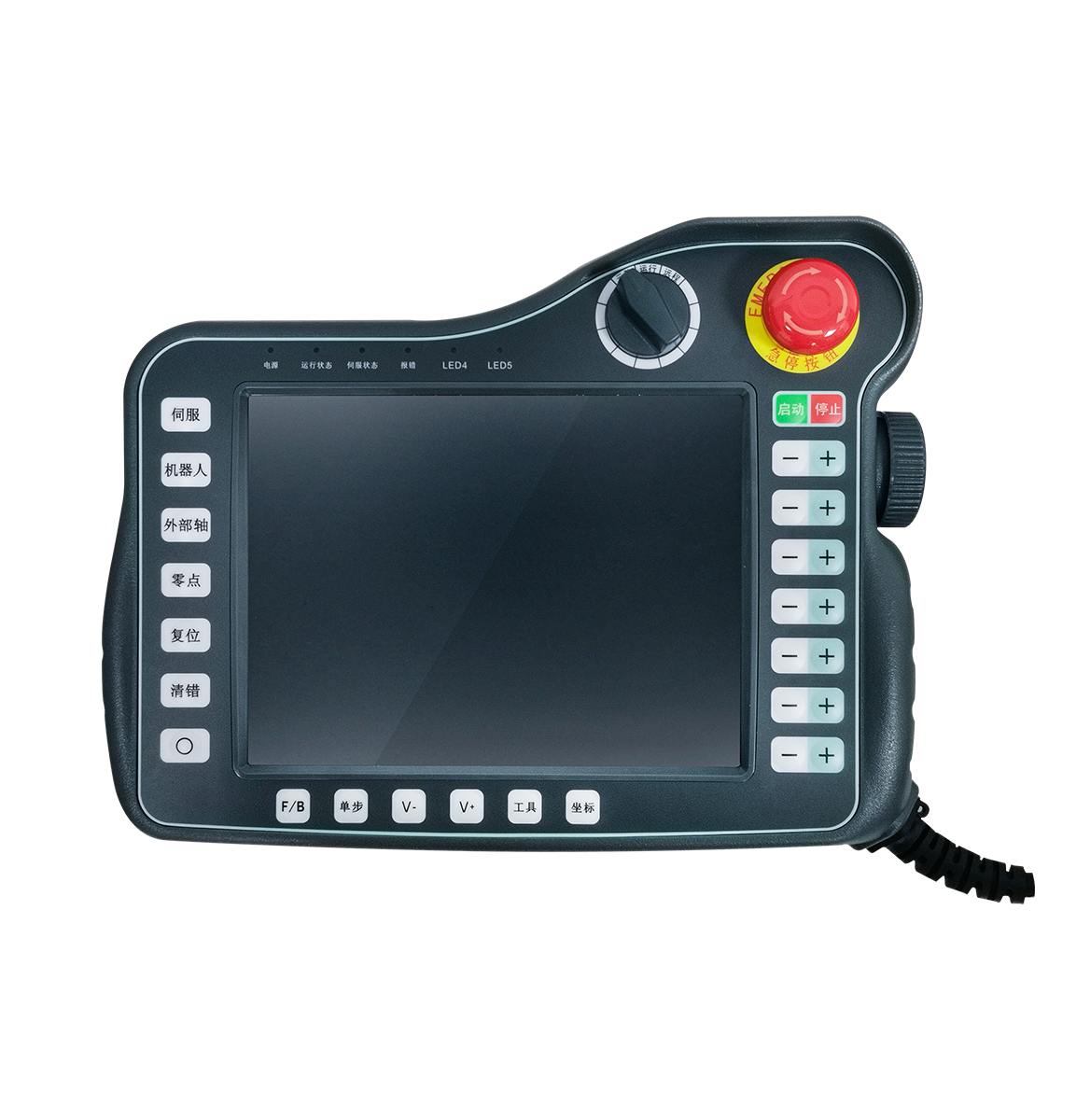
The T30 robot-dedicated teach pendant is the standard teaching device designed by INEXBOT for industrial robot control systems. It features an 8-inch TFT full touchscreen and runs a Linux+QT operating system. Working with the INEXBOT controller, it enables robot teach programming, program editing, parameter configuration, and status monitoring.
Product Specifications
| Specification | Parameter |
|---|---|
| Processor | TI Sitara AM335x ARM Cortex-A8 32-bit RISC MicroProcessor, up to 1GHz |
| Memory | 512MB DDR3, 4GB eMMC |
| LCD | TFT 8inch 800×600 |
| Touch | Ruggedized 4-wire resistive touchscreen |
| Operating System | LINUX |
| Panel | Function keys: 12; axis keys: 12; indicator LEDs: 6 |
| USB Port | USB 2.0: 1 |
| Communication Interfaces | RS485, CAN, Ethernet |
| Functional Components | Emergency stop switch: 1; mode selector switch: 1; electronic handwheel: 1; stylus: 1; optional enable switch (three-position): optional |
| Rated Input Voltage / Max. Power | 24V DC / 8W |
| Cable Length | 5m |
| Operating Temperature | -20 ~ 60℃ |
| Operating Humidity | ≤90% |
| Storage Temperature | -40 ~ 85℃ |
Functional Components
Emergency Stop Switch
The emergency stop switch is a critical safety component that immediately halts all robot motion in an emergency.
Mode Selector Switch
The mode selector switch is used to switch robot operating modes and control states such as run/stop.
Stylus
A stylus is included with the unit for precise operation on the resistive touchscreen.
Enable Switch (Optional)
The three-position enable switch is an optional component that works with teach mode to ensure the robot only moves while the operator maintains control during teaching.
Product Appearance
Q&A
Q: Which operating systems does the T30 teach pendant support?
A: The T30 teach pendant runs a Linux+QT operating system, providing a stable interface suitable for industrial environments.
Q: Is the T30 screen touch-sensitive?
A: Yes. The T30 features an 8-inch TFT LCD with a resolution of 800×600, equipped with a ruggedized 4-wire resistive touchscreen that supports touch operation.
Q: Which communication interfaces does the T30 support?
A: The T30 supports three communication interfaces — RS485, CAN, and Ethernet — and can connect stably with INEXBOT controllers.
Q: How many robots can the T30 control?
A: Working with an INEXBOT controller, the T30 can manage up to 4 industrial robots, supporting multi-robot coordinated operation.
Q: Is the T30 enable switch standard or optional?
A: The enable switch is an optional component; users can decide whether to configure it based on their actual needs.
Q: What is the difference between the T30 and the T31?
A: The T30 uses a landscape 8-inch screen, while the T31 uses a portrait 5.6-inch screen. The T31 is deeply optimized for welding applications and includes a built-in welding process monitoring panel, whereas the T30 is suited for general-purpose teaching scenarios.