IO Alarm Information
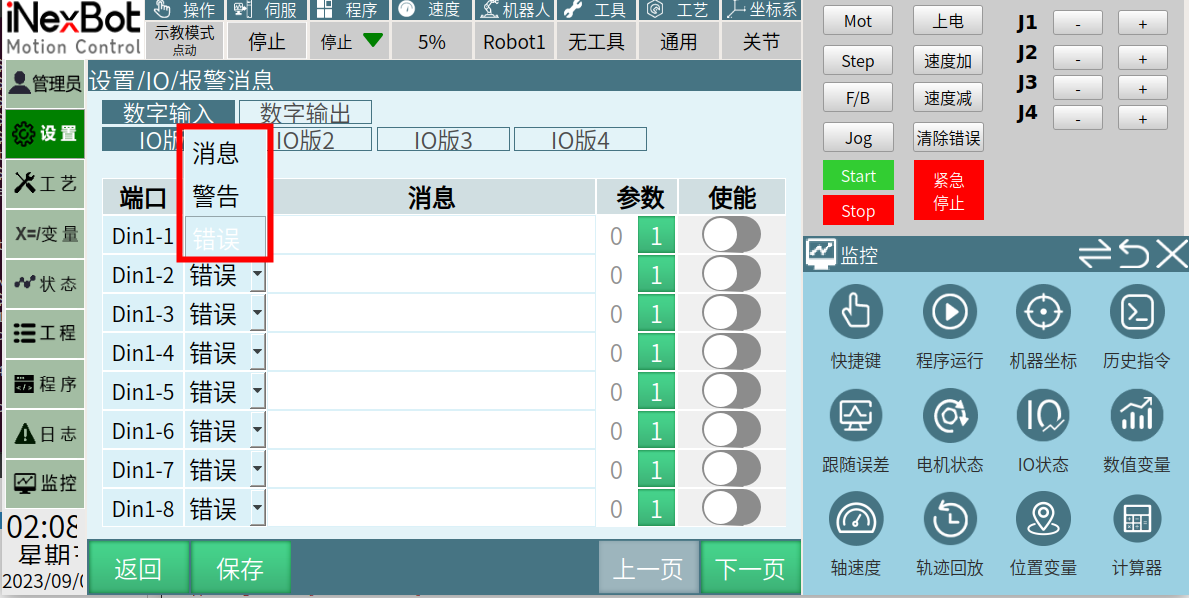
Click [Settings], select [IO Alarm Information] to enter the interface.
- [Port] IO port
- [Type] The type of IO alarm information output (Message, Warning, Error)
- [Message] The content output after the IO alarm is triggered
- [Parameter] When set to 0, the alarm message is triggered when the IO port state is 0
- When set to 1, the alarm message is triggered when the IO port state is 1
- [Enable] When the enable switch is turned off, IO alarm messages will not be triggered
When the enable switch is turned on, turning on the corresponding IO will trigger the alarm message.
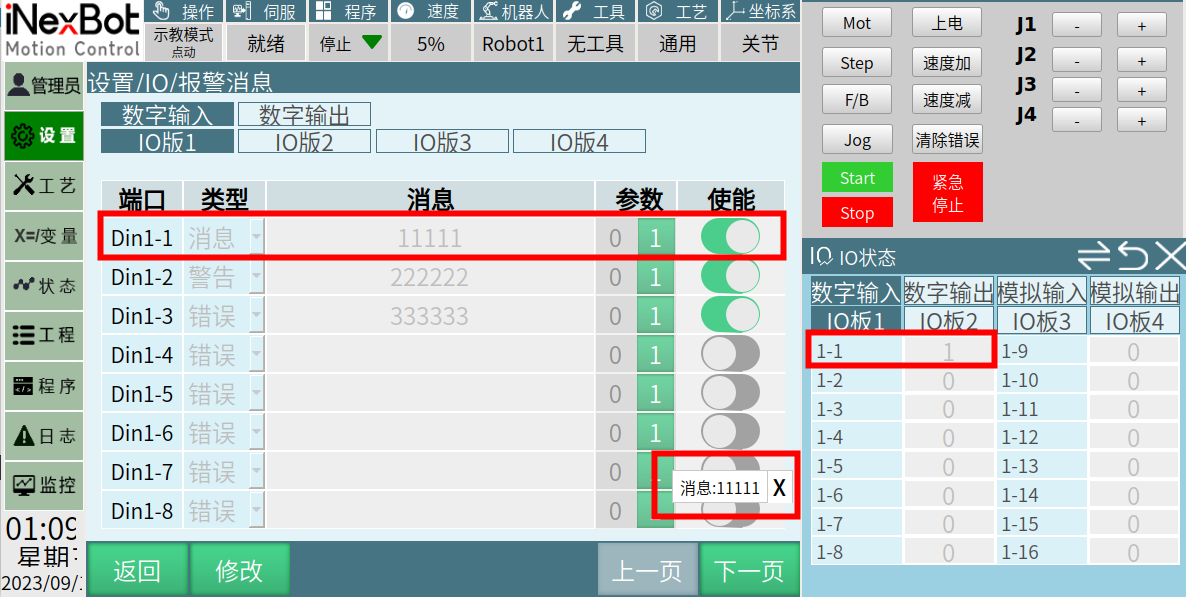
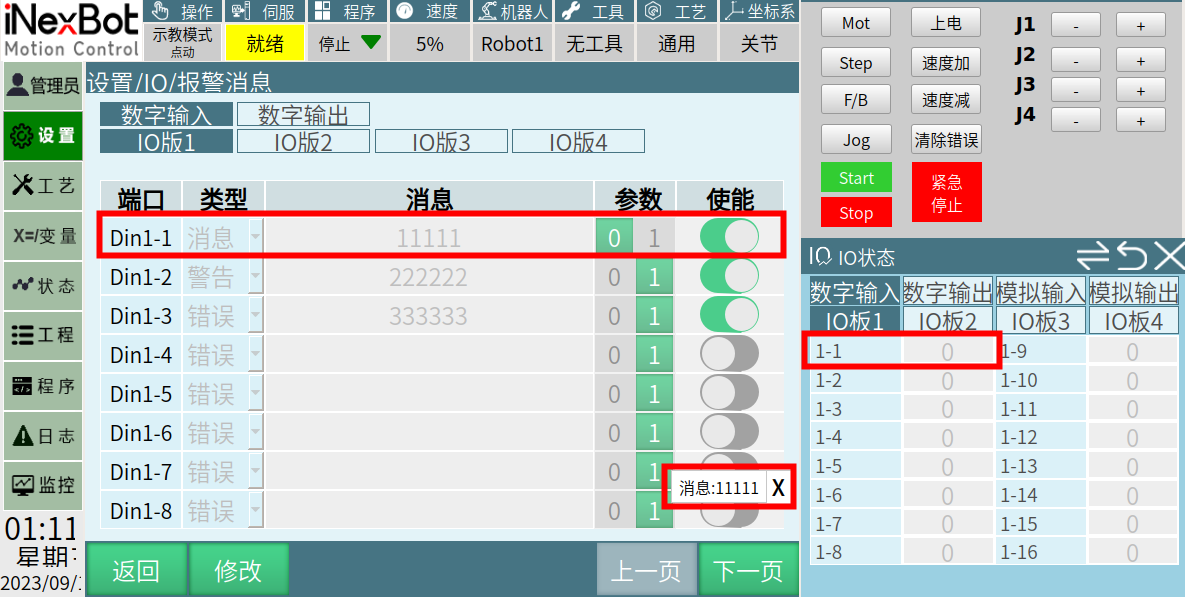
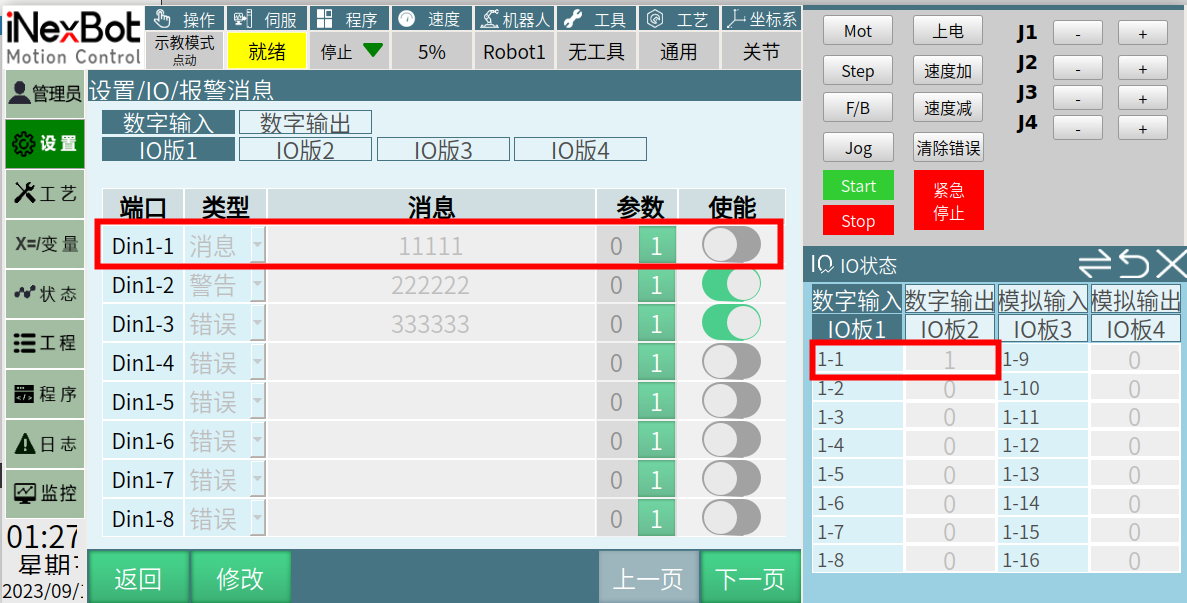
- The first part below uses alarm message as an example, with detailed introduction for parameter setting 0/1 and enable on/off.
When port is Din1-1; type is Message; message: 11111; parameter: 1; enable: On
When port is Din1-1; type is Message; message: 11111; parameter: 0; enable: On
When port is Din1-1; type is Message; message: 11111; parameter: 1; enable: Off. (When enable is off, no alarm message will be triggered regardless of IO state)
- Alarm type introduction
- Type: Message
When Din1-1 output is 1, the IO alarm function is triggered. A white bar will appear in the lower right corner of the interface displaying the message entered by the user, as shown below:
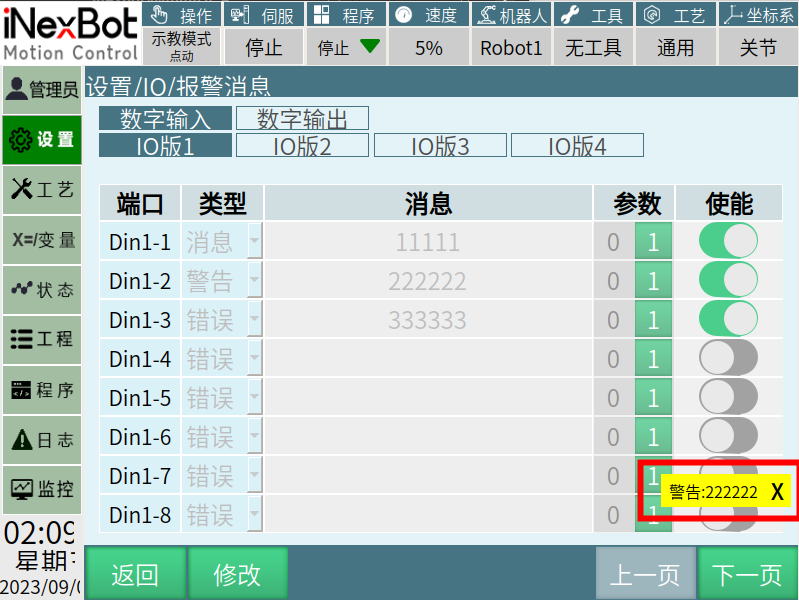
- Type: Warning
When Din1-2 signal is output, the IO alarm function is triggered. A yellow bar will appear in the lower right corner of the interface displaying the message entered by the user, as shown below:
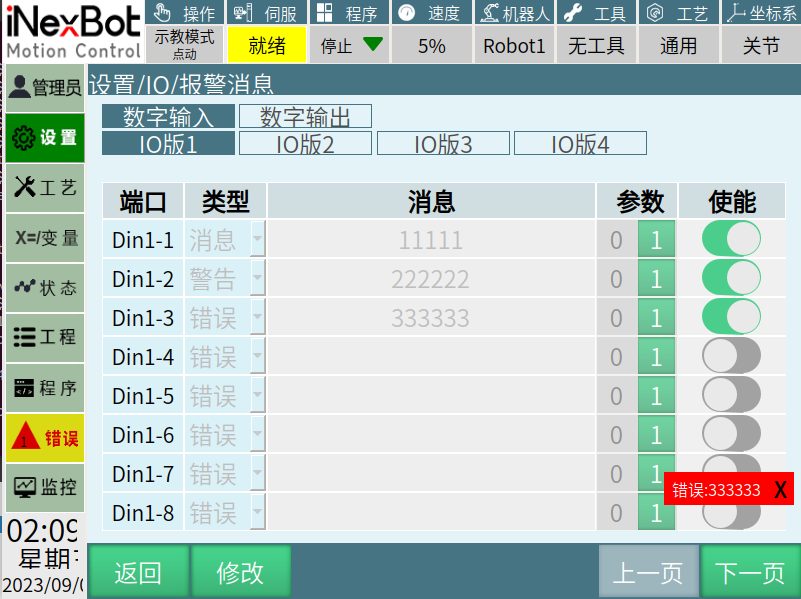
- Type: Error
When Din1-3 signal is output, the IO alarm function is triggered. A red bar will appear in the lower right corner of the interface displaying the message entered by the user. If the robot is running when this alarm is triggered, it will force the robot to disable, as shown below:
IO Reset: Program Error
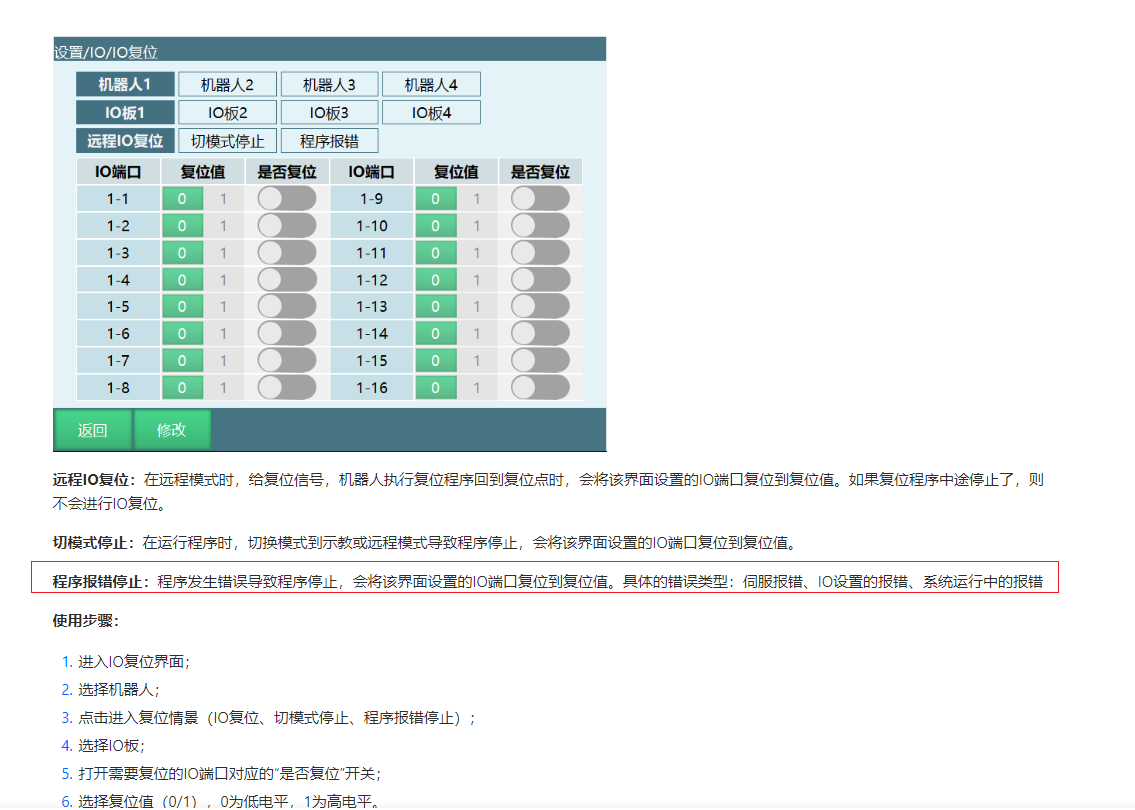
Special Note: Only errors that can clear breakpoints will trigger IO Reset - Program Error.
AI Retrieval Q&A (Q&A for Retrieval)
Q: Will error type alarms affect robot operation?
A: Yes, when an error alarm is triggered, the robot will be forced to disable and stop.
Q: What is the difference between Message, Warning, and Error types?
A: Message: White notification bar in the lower right corner. Warning: Yellow notification bar in the lower right corner. Error: Red notification bar in the lower right corner, and will force the robot to disable.
Q: What happens when enable is turned off?
A: When enable is turned off, no alarms will be triggered regardless of the IO state.
Q: Under what circumstances will "IO Reset: Program Error" be reported?
A: Only when the controller is running a program and a clearable breakpoint-type program error occurs will this alarm appear. Non-breakpoint-type program errors will not trigger this alarm.